

Lesson planning often takes more time than teaching itself. Brisk Teaching AI changed that. It helped me speed up planning, streamline feedback, and reduce repetitive work. In this review, I’ll share what Brisk Teaching does well, where it falls short, and how I actually use it in my workflow.
Brisk Teaching is an AI teaching assistant designed specifically for educators. Instead of focusing on flashy automation, it works quietly in the background to support everyday lesson planning, writing feedback, and adapting content for different learners.
It’s commonly used as a Chrome extension and integrates directly with tools many teachers already rely on, like Google Docs and Google Classroom, allowing teachers to automate administrative tasks without switching tabs.
What Brisk AI Teaching Does Really Well
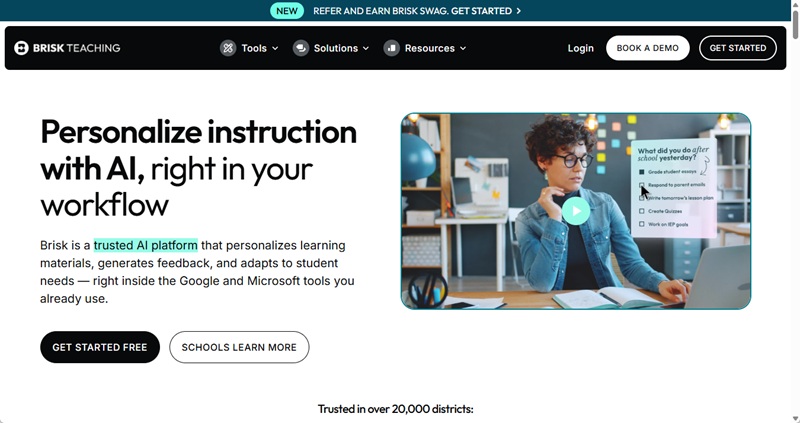
What stood out to me immediately is how practical Brisk feels. It doesn’t try to do everything. It focuses on the parts of teaching that are mentally demanding but repetitive.
Faster Lesson Planning
When I need a lesson outline or discussion prompts, Brisk can generate a solid starting point in seconds. I still review and adjust everything, but the blank-page problem disappears.
Writing Feedback Without Burnout
Giving personalized feedback, especially for writing assignments. Brisk helps generate clear comments that I can edit or refine. It speeds up the process without making feedback feel generic.
Differentiated Instruction
One feature I’ve found especially useful is adapting the same content for different student levels. Brisk can rewrite explanations to be simpler or more advanced, which supports differentiated instruction without doubling prep time.
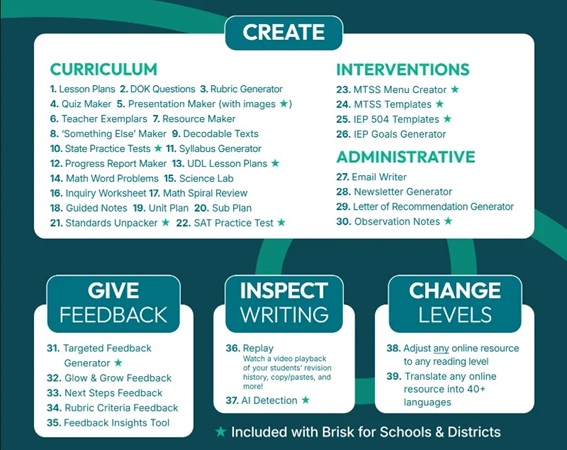
In addition to its core strengths, Brisk Teaching includes 30+ tools help complement everyday classroom work.
Where Brisk Teaching AI Assistant Starts to Feel Limited
While Brisk Teaching is effective for planning and feedback, it does have some limitations. Its capabilities are largely centered around text-based instructional tasks, which means it works best for teachers who rely heavily on written materials. For educators looking for more multimedia or design-focused outputs, Brisk may feel narrow in scope.
In addition, some of Brisk’s more advanced tools, such as deeper instructional insights or expanded feedback options, are only available through the premium version. While the free plan is generous, teachers who want more customization or advanced support may eventually encounter feature boundaries.
Brisk Teaching still requires active teacher involvement. The content it generates is meant to be reviewed, adjusted, and contextualized.
✍ [You May Also Like]: 10+ Best AI Tools for Teachers
Does Brisk Teaching Create Slides? Yes, but...
A common question teachers ask is whether they can use it to build their lecture decks. Yes, you can. You can point the brisk teaching ai at a YouTube video or an article and ask it to “Create a Presentation.”
However, in my experience, the presentations generated by Brisk are quite basic. They are functional, but if you want your students to stay engaged during a 40-minute lecture, a few bullet points on a plain white background usually won’t cut it.
My Solution: WorkPPT AI Presentation Maker
If Brisk is my administrative assistant, WorkPPT AI PPT Maker is my creative director. Here’s why I switched to WorkPPT for creating presentations:
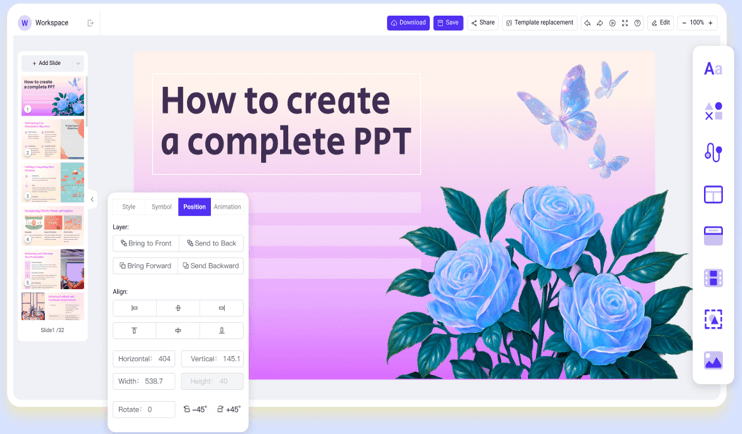
- WorkPPT allows me to upload these heavy files and instantly converts them into a complete, captivating slide deck in seconds.
- It offers over 5000 templates across multiple fields, ensuring my decks look professionally designed and suitable for any topic.
- WorkPPT allows me to export my finished decks as PPTX, PDF, image or present online.
- Beyond just making slides, more built-in AI tools like AI Summarizer and AI mind map help me organize teaching materials quickly.
⭐⭐⭐⭐⭐ Rated 4.8 by 1.3M Users
FAQs About Brisk Teaching AI
Q1: Is brisk teaching safe?
A: Yes. Brisk Teaching offers a free plan for individual educators, which includes access to more than 20 essential AI tools for lesson planning, feedback, and instructional support.
Q2: What types of tasks does Brisk Teaching work best for?
A: Brisk Teaching is most effective for text-based instructional tasks, including lesson outlines, discussion questions, rubric-aligned feedback, and content adaptation for different learning levels.
Q3: How does the Brisk AI Chrome extension work?
A: Brisk Teaching is primarily accessed through a Chrome (and Edge) browser extension. Once installed, it integrates directly into tools like Google Docs, Google Classroom, web articles, and videos, allowing teachers to activate AI tools without leaving their current workspace.
Q4: What grade levels are Brisk Teaching suitable for?
A: Brisk Teaching is suitable for a wide range of grade levels. While it is especially popular among K–12 educators.
💬Final Thought: Is Brisk Teaching Worth Using?
Brisk Teaching is excellent at supporting lesson planning, feedback, and instructional thinking. It saves time, reduces mental load, and fits naturally into existing teaching habits. However, if you want high-quality classroom presentation slides, WorkPPT is a better choice.
WorkPPT AI Presentation Maker
📄 Text & documents to slides quickly
🧠 Powerful AI toolkits to save time
🎨 5,000+ education-ready templates
📤 Export to PPTX, PDF, or Google Slides
