
author image

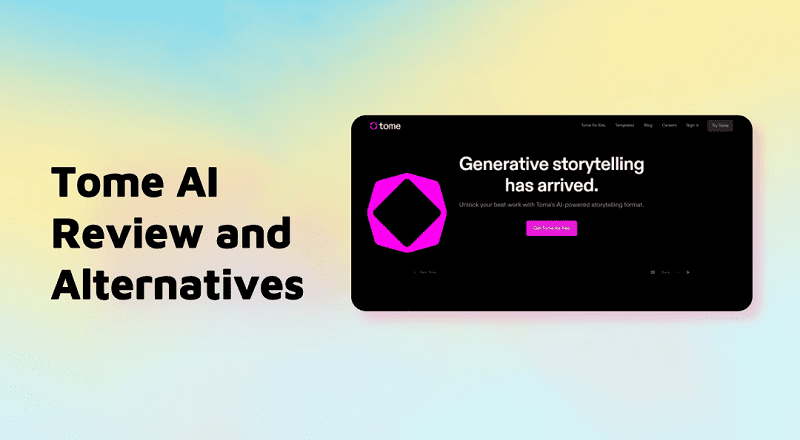
Tome AI presentation maker was once a popular tool for creating visual, story-driven presentations from simple prompts. However, many users now find that the official Tome AI presentations site is no longer accessible. As of 2025, Tome is no longer a viable option for creating presentations.

Today, you can learn what Tome offered, why it’s no longer available for slides, what alternatives exist, and how to handle Tome AI export to PowerPoint (PPTX) content from old accounts.

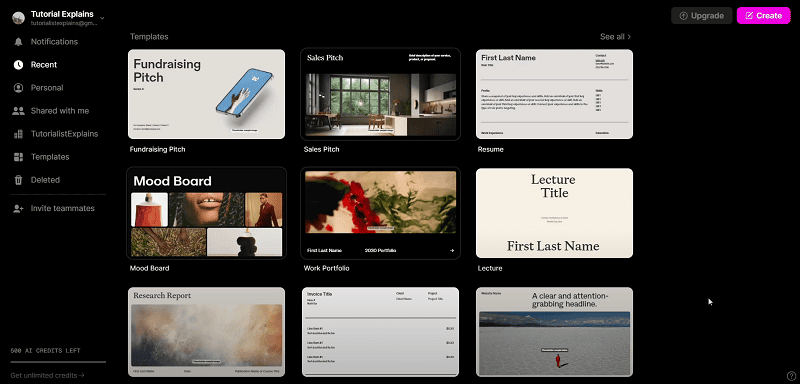
Tome AI originally provided a way to generate AI-driven presentations using a tile-based layout system that mixed text, images, and multimedia into visually engaging “tomes.” However:

The company pivoted away from presentation features in March 2025 and shifted focus to sales automation tools. Users can no longer create new AI-generated presentations within Tome.
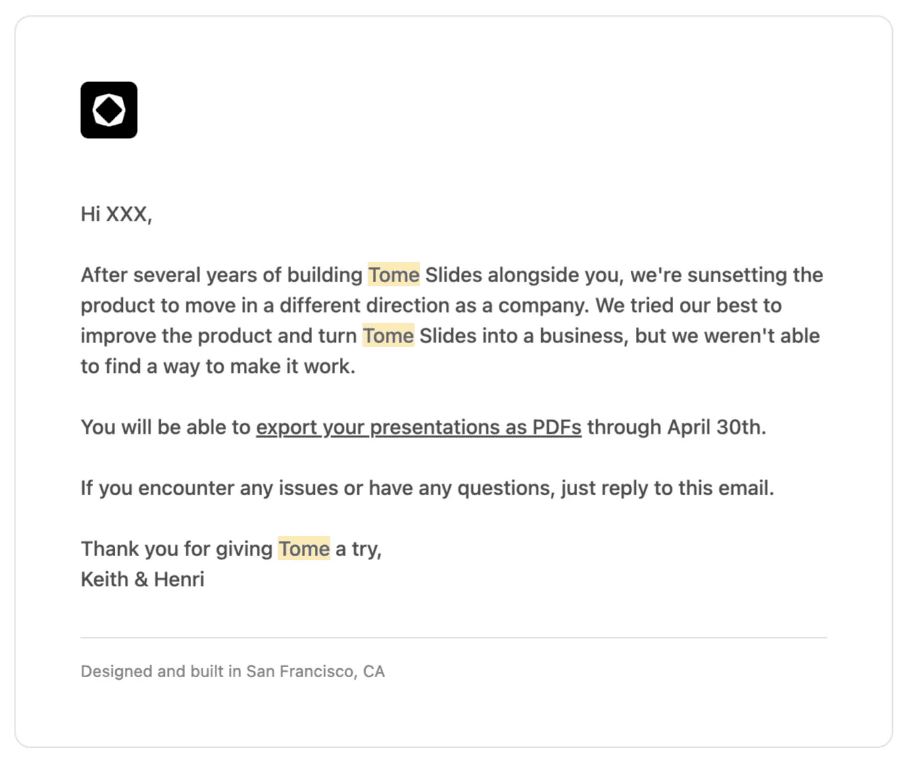
tome website shutdown inform

This means that if you try to search for “Tome AI presentation” or “Tome AI presentations official site”, you won’t find a functioning slide maker anymore.

Tome AI Presentation Features (When It Existed)

Before its phase-out, Tome AI was known for:

  • AI-powered narrative decks built from prompts and uploaded content.
  • Tile-based creative layouts, not traditional slide-by-slide structure.
  • A variety of templates for storytelling and visual communication.
  • Collaboration tools and simple UI for rapid draft creation.
  • Cloud-based access from any browser.

tome ai presentation maker interface

However, it lacked a native PowerPoint export (.pptx) function, and users often had to download PDFs or share web embeds instead. Third-party tools were then needed to convert PDFs into PowerPoint files.

Tome AI Pricing (Historic)

Plan Basic Pro Enterprise
Price $0 $16 / month Custom
Manual Editing
Template Browsing
Unlimited Sharing
AI Generation & Design Tools
Engagement Analytics
Templates Included Limited 100+ 100+
Custom Branding
Custom Data Integration
AI Output Tuning
Dedicated Support

Pros and Cons of Tome AI (Before Shutdown)

Pros:

  • Fast, generative AI presentation generation.
  • Clean, minimal UI for creative storytelling decks.
  • No software install required.
  • Good for narrative, brainstorming, or concept slides.

Cons:

  • No longer supports slide creation as a tool in 2025.
  • Didn’t export directly to PowerPoint PPTX (only PDF or web).
  • Limited control over individual slide design.
  • Not ideal for corporate reporting or structured business decks.

Best Alternatives to Tome AI for Presentations

Since Tome’s presentation features are gone, many tools now fill that gap with active development and export options:

WorkPPT AI presentation maker

  • All-in-one content tool with AI presentation generation, voice-overs, and multiple export formats.
  • Active development and free plan with AI credits.

⭐728323 presentations made

Gamma

  • Modern AI presentation maker that supports generation from prompts, documents, or outlines.
  • Exports to PDF and PowerPoint (.pptx).
  • Offers free credits and paid plans.

Beautiful.ai

  • AI design automation with smart templates and high-quality layouts.
  • Exports to PowerPoint and other formats.

Plus AI

  • Works within Google Slides and PowerPoint environments with AI support for slide generation.
  • Good option for workflows already tied to those platforms.
Other alternatives include Canva (Magic Design), Decktopus, Presentations.AI, and AI PPT plugins that enable flexible AI workflows according to your needs.

FAQs About Tome AI Presentation Maker

Is Tome good for presentations?

No. Tome used to be capable of creating AI-generated presentations, but it no longer offers this feature as of 2025.

Is Tome free to use?

Tome historically had a free plan, but since its AI presentation features are discontinued, free access no longer provides slide creation.

Can You Export Tome AI Presentations to PowerPoint?

Although you cannot directly export a Tome project to PowerPoint, it was possible to export a PDF and convert it to PPT using third-party converters or software such as Smallpdf, Adobe Acrobat, or iLovePDF before the shutdown.

Keep in mind that if the service is fully discontinued, your outcomes depend on whether you have exported materials before the sunset date.

💬 Conclusion:

Tome was once a noteworthy AI presentation maker, using tiles and prompts to build creative decks quickly. However, in 2025, its slide creation tools have been discontinued, and the platform no longer supports new presentations.

Users looking for AI-powered slide creation are better served by active alternatives like Gamma, Beautiful.ai, WorkPPT, or Plus AI, which provide similar or improved features with ongoing support and PowerPoint export capabilities

Save time on formatting with WorkPPT

Upload your Excel file and let WorkPPT automatically create clean tables, charts, and data-ready slides.