
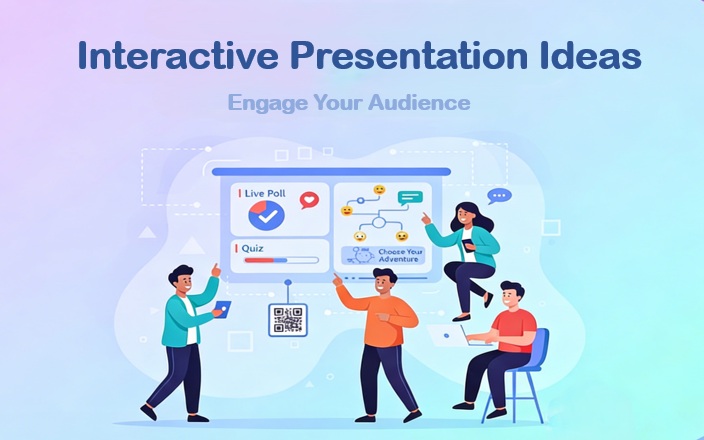

Keeping an audience focused during a presentation is not easy. The problem isn’t your content; it’s the delivery. People don’t want to be talked at; they want to be part of the conversation.
That’s why interactive presentations have become essential. In this article, you’ll find 15+ interactive presentation ideas you can actually use, whether you’re presenting to a team, a class, or a group of clients.
- What Makes a Presentation Interactive?
- 15+ Ideas for Interactive Presentations
- 1. Real-Time Polls / Feedback
- 2. Voting
- 3. Self-Assessment
- 4. Funny Game
- 5. Have a quizze
- 6. Ask Questions (Audience-Driven)
- 7. Predictions
- 8. Group Collaboration
- 9. Audience-Led Direction
- 10. Let Audience Try
- 11. Sticky Note Brainstorming
- 12. Sticky Note Brainstorming
- 13. Storytelling Present
- 14. Physical Interaction
- 15. Rewarded Q&A
- 16. Role-Playing
- Tips for Using Interactive Ideas for Presentations
- Bring Your Interactive Ideas to Life with WorkPPT AI PPT
What Makes a Presentation Interactive?
An interactive presentation is not about adding random activities. It’s about inviting the audience to participate instead of just listening.
Interactive presentations usually include:
- Questions or decisions for the audience
- Real-time feedback or responses
- Simple actions like voting, choosing, or reacting
- Two-way communication rather than a one-way speech
Even small interactions can make a big difference in attention and understanding.
Slides Made Simple
With WorkPPT, turn your ideas into professional slides in seconds. Focus on engagement, not design.
15+ Ideas for Interactive Presentations
1. Real-Time Polls / Feedback
The most effective way to get participants actively involved rather than just passively listening is to encourage everyone to engage in discussions and interactions, even in large groups. Polls and feedback slides allow the audience to share opinions or insights in real time.
How does it run? You need to come up with a topic for the audience to think about and provide you with real-time feedback and ideas. For example, “When it comes to ‘Work’, what comes to your mind first?”
You can collect audience feedback through:
- Word clouds to visualize common ideas and themes
- Short surveys or questionnaires for deeper insights
- Rating scales to measure agreement or confidence
2. Voting
Let participants vote on a question or decision. This encourages participation and gives you immediate feedback. Instead of telling people what to think, voting invites them to express preferences and makes them part of the decision-making process.
Example:
“Which feature should we focus on next?”
Audience votes A, B, or C, and results are shown instantly.
Voting results are especially useful for:
- Driving discussion: Use the results as a starting point for conversation or debate
- Prioritizing topics: Decide which issue, feature, or case study to focus on next
- Validating assumptions: Compare audience opinions with data or expert insights
- Guiding presentation flow: Let votes determine the next slide or section
3. Self-Assessment
This method asks people to show their status using their hands. In a time management workshop, you can say: “If 10 is perfect and 1 is a disaster, how good are you at finishing tasks on time? Please show me with your fingers.” This helps people see that others have the same problems.
4. Funny Game
Games in presentations are not only for classrooms. When designed well, they help increase attention, encourage participation, and reinforce key messages in meetings, training sessions, and workshops.
Game ideas for different presentation settings:
- Knowledge Check Game: Turn key points into short questions and let individuals or teams compete by answering correctly.
- Guess the Answer: Ask the audience to guess a statistic, outcome, or insight before revealing the correct answer.
- Matching or Sorting Game: Ask participants to match concepts, steps, or categories correctly.
- Leaderboard Game: Track points or progress across multiple rounds to encourage engagement.
5. Have a quizze
Quizzes are one of the most effective ways to turn passive listening into active thinking. Instead of simply absorbing information, participants are prompted to recall, evaluate, and apply what they have just learned.
Quizzes can take many simple forms. They may include true-or-false questions to quickly check understanding, multiple-choice questions to test knowledge or decision-making, or scenario-based questions that ask participants to choose the best response in a real-world situation.
6. Ask Questions (Audience-Driven)
In this interactive approach, questions come primarily from the audience rather than the presenter. Encouraging audience questions helps surface what actually matters to participants, not just what the presenter planned to cover.
To make this approach effective, questions should be actively invited rather than left to the end as an afterthought. This can be done by pausing at key moments and prompting participants to submit questions anonymously, post them in a shared space, or raise them verbally.
7. Predictions
Ask the audience to guess an outcome before revealing the answer, creating curiosity.
Example:
“How many people finish reading a slide in less than 10 seconds?”
Reveal the statistic afterward.
This enables the audience to quickly get involved and remain continuously engaged with the subsequent content.
8. Group Collaboration
One of the biggest advantages of group collaboration is depth. When participants exchange perspectives, they often identify insights, risks, or solutions that a single speaker might overlook. This is especially valuable in business meetings and workshops.
From a learning perspective, group collaboration supports active learning. Discussing and applying concepts with others strengthens understanding and improves retention.
To run group collaboration effectively, the task must be clearly defined and time-bound. After the discussion, inviting groups to briefly present their conclusions helps reconnect individual efforts to the overall presentation flow.
9. Audience-Led Direction
Let participants decide the next topic, slide, or activity to increase ownership.
Case or scenario selection is a powerful way to let the audience steer the presentation toward topics that are most relevant or interesting to them. Instead of the presenter deciding which example or case study to cover, participants get to choose the one they want to explore in depth.
Example:
In a sales training session, a presenter might prepare three client scenarios:
- A client who is resistant to change
- A client with a strict budget
- A client asking for a custom solution
Participants vote on which scenario they want to discuss first. After the vote, the team analyzes the selected scenario, suggests strategies, and the presenter guides the discussion, highlighting best practices and lessons learned.
10. Let Audience Try
Allow participants to touch objects, experiment, or experience a process firsthand. Hands-On Experience encourages participants to engage directly with tools, materials, or processes, rather than just observing or listening.
By physically performing tasks or simulating real-world scenarios, participants gain a deeper understanding of concepts and retain information more effectively.
11. Sticky Note Brainstorming
Sticky Note Brainstorming is a highly interactive method that encourages participants to generate, organize, and share ideas visually and collaboratively. By giving each participant a “sticky note” (physical or digital), everyone can contribute simultaneously.
How it works:
1. Define the challenge or topic – Clearly state the question or problem you want participants to address.
2. Individual idea generation – Each participant writes one idea per sticky note, keeping contributions short.
3. Collection and organization – Stick the notes on a board, wall, or digital collaboration tool.
4. Discussion and prioritization – Participants discuss the clustered ideas, highlight key points, and vote on the most important or actionable ones.
12. Sticky Note Brainstorming
Sticky Note Brainstorming is a highly interactive method that encourages participants to generate, organize, and share ideas visually and collaboratively. By giving each participant a “sticky note” (physical or digital), everyone can contribute simultaneously.
How it works:
1. Define the challenge or topic – Clearly state the question or problem you want participants to address.
2. Individual idea generation – Each participant writes one idea per sticky note, keeping contributions short.
3. Collection and organization – Stick the notes on a board, wall, or digital collaboration tool.
4. Discussion and prioritization – Participants discuss the clustered ideas, highlight key points, and vote on the most important or actionable ones.
13. Storytelling Present
Storytelling is a powerful interactive technique that engages the audience by presenting information in a narrative format. Unlike purely factual slides, stories capture attention, evoke emotions, and make complex ideas more relatable.
How it works:
- Presenter-driven storytelling – Share a compelling narrative related to the topic, including challenges, decisions, and outcomes.
- Audience-driven storytelling – Ask participants to share their own experiences, examples, or perspectives related to the topic.
- Co-created stories – Build a story collectively by letting the audience contribute plot points, challenges, or solutions during the session.
14. Physical Interaction
Rewarded Q&A is an interactive approach that encourages participants to actively ask or answer questions by offering small incentives or recognition. By attaching a reward, such as points, small gifts, badges, or even public acknowledgment.
15. Rewarded Q&A
Physical Interaction involves using body movements, gestures, or simple actions to engage the audience during a presentation. Instead of relying solely on verbal responses or digital tools, participants interact through motion, which stimulates attention, reinforces learning, and creates a more dynamic atmosphere.
- Simple Gestures – Ask participants to raise hands, stand up, or use other gestures to indicate opinions or reactions.
- Interactive Movements – Incorporate short physical activities, such as moving to a specific area to express preferences, or acting out a concept.
- Participation Cues – Use signals like clapping, thumbs-up, or other gestures to indicate agreement, understanding, or vote on choices.
16. Role-Playing
Role-playing is an interactive technique where participants assume specific roles to act out scenarios relevant to the topic. This method allows participants to experience situations firsthand and gain new perspectives.
Examples across different scenarios:
- Product Demonstrations / Customer Experience: Audience members act as customers using a product or service, providing immediate feedback.
- Remote / Hybrid Sessions: Participants role-play via video breakout rooms or collaborative tools, simulating client meetings, negotiations, or project reviews.
- Education / Knowledge Sharing: Participants assume historical, professional, or user personas to debate, analyze, or illustrate concepts.
Tips for Using Interactive Ideas for Presentations
- Don’t overuse interaction—quality matters more than quantity
- Keep instructions clear and simple
- Use interaction to support your message, not distract from it
Bring Your Interactive Ideas to Life with WorkPPT AI PPT
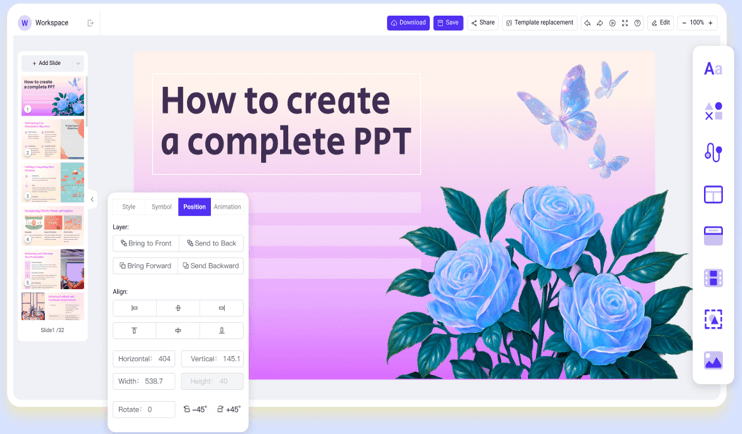
While interactive techniques such as polls, quizzes, role-playing, and brainstorming enhance audience engagement, creating visually appealing slides for all these activities can be time-consuming. WorkPPT AI PPT Maker helps you turn your ideas into professional slides in seconds, so you can focus on facilitating interactions rather than designing slides from scratch.
⭐⭐⭐⭐⭐ Rated 4.8 by 1.3M Users
💬 Conclusion:
Interactive presentations don’t require complex tools or advanced design skills. Small changes like asking better questions, adding simple choices, or encouraging feedback can significantly improve audience engagement. Start by choosing one or two interactive presentation ideas from this list to make your next presentation more engaging!
