
author image

In pitch competitions and investor meetings, a strong idea is not enough. Investors usually judge by:

  • Do you truly understand the market?
  • Does your product have any distinctiveness?

So it’s necessary to include a competition slide pitch deck in the pitch deck.

In this guide, we break down what makes an effective competition slide pitch deck, what to include, and how to avoid common mistakes

An effective competition slide helps investors and judges quickly understand your market position and why your solution stands out. Here are the key elements that should be included.

  • Direct and indirect competitors
  • Key comparison criteria (price, features, target users, technology, etc.)
  • Your unique advantage or differentiation
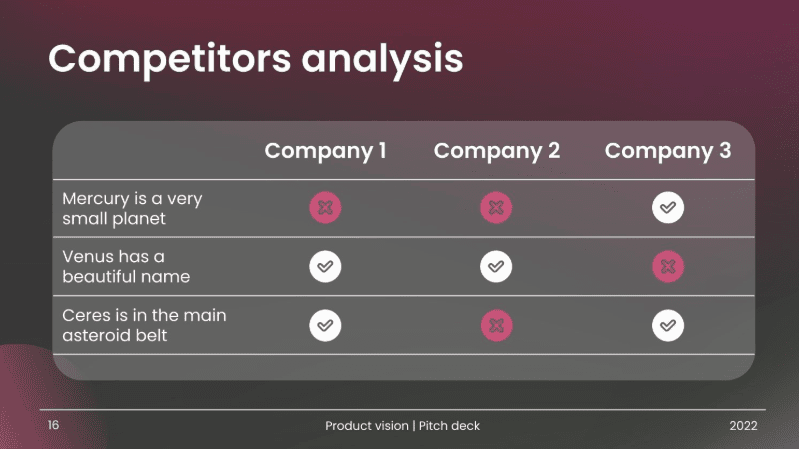
  • Clear visual layout (table, matrix, or positioning map)
  • Honest and realistic positioning

How to Do a Competitor Analysis Pitch Deck

Step1: Research Competitors

Identify and do competitor research for pitch deck about rivals (direct + indirect) using these tools:

  • Crunchbase – funding, founding date, investors, acquisition history.
  • SimilarWeb – website traffic, geography, traffic sources, engagement.
  • SEMrush / Ahrefs – keywords, share of voice, search visibility.
  • G2 / Capterra – user reviews, feature ratings, common complaints.

Step 2: Select Comparision Metrics

Choose comparison dimensions that actually matter to customers and decision-makers, such as pricing, core features, ease of use, target users, or technology approach. Avoid generic criteria that do not support your differentiation.

Step 3: Choose Competitor Analysis Pitch Deck Layout

Type 1: 2×2 Matrix
Best for: Showing strategic positioning and market differentiation
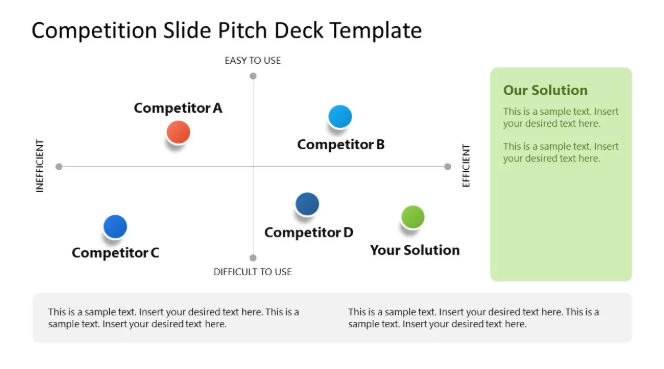
The 2×2 matrix is one of the most commonly used competition slide formats in pitch decks. It places competitors on a chart using two key dimensions, such as price vs. performance or ease of use vs. functionality.
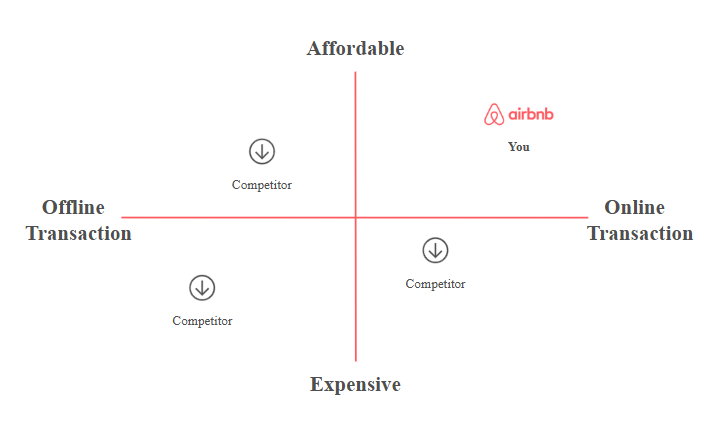
2×2 matrix competition slide

Type 2: Feature Comparison Table
Best for: Product-driven pitches and SaaS startups
A feature comparison table lists competitors in columns and key features or attributes in rows. This format allows quick, side-by-side evaluation and is especially useful when buyers compare products based on functionality.
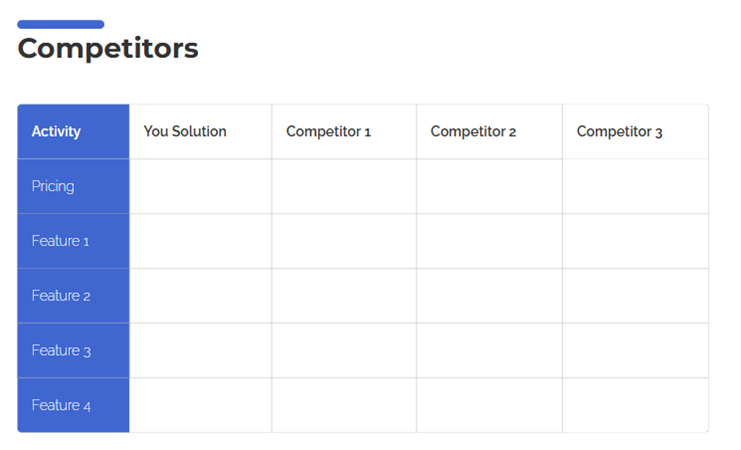
comparison table in competition slide pitch deck

Step 4: Build the Competitor Analysis Pitch Deck

Method 1: Create with an AI pitch deck generator ​
If you want a fast way to build your deck without starting from scratch, using AI pitch deck generator is the best way.

Like WorkPPT AI pitch deck generator, you can easily generate a pitch deck that includes competition slides in simple ways:
1. Input text or upload your research doc.
2. Review and tweak the AI-generated outline.
3. Pick a template that fits your brand or company style.
4. Edit and export.

⭐728323 presentations made

Method 2: Utilize a read-made competition slide pitch deck template​

Prefer more hands-on control? A clear template can make competition slides easier to build and easier to understand.

Best Practices for Creating a Competition Slide in a Pitch Deck

A strong competition slide should be easy to understand and focused on differentiation. Investors and judges often spend only a few seconds on this slide, so clarity matters more than detail.

  • Focus on Relevant Competitors
    Showing too many logos or irrelevant players can confuse the message and weaken your positioning.
  • Use Meaningful Comparison Criteria
    Avoid generic metrics that do not support your competitive advantage.
  • Highlight Your Differentiation Clearly
    If it is technology, business model, or user experience, please make sure the viewer can understand why you win at a glance.
  • Keep the Slide Simple and Visual
    Use clear layouts like tables, matrices, or positioning maps. Limit text and avoid overcrowding the slide with data.
  • Be Honest and Credible
    Acknowledge strong competitors and position your product realistically.

FAQs about Competition Slide in Pitch Deck

Q: What is a competition slide in a pitch deck?

A: A competition slide shows who your main competitors are and how your product compares to them. It helps investors and judges quickly understand your market position and differentiation.

Q: Where should the competition slide appear in a pitch deck?

A: Competition slides are usually placed after the problem and solution slides, and before traction or business model sections.

Q: What are the 4 P's of competitor analysis?

A: The 4 P’s of competitor analysis typically refer to Product, Price, Place, and Promotion.

💬 Conclusion:

A competition slide in pitch decks not only shows who you compete with, but also how clearly you understand the market and position your solution within it. Nail this slide, and your deck commands attention.

Whether you build your competition slides from scratch, use a ready-made template, or leverage AI tools like WorkPPT, the key is to keep the message clear and credible.