How to Create Effective Multimedia Presentations: Full Guide
Compared with traditional text-heavy slides, a multimedia presentation combines different types of content to make information easier to understand, more engaging, and more memorable. This guide explains what a multimedia presentation is, its key components, how to create one, and best practices.
A multimedia presentation is a presentation that uses a combination of text, images, audio, video, animations, and data visuals to convey information. Instead of relying only on written content, it integrates multiple media formats to support the message and improve audience engagement.
Multimedia presentations are widely used in different contexts:
Classroom teaching and online learning – explain complex topics and keep students engaged
Business meetings, reports, and pitches – present ideas effectively and professionally
Product demonstrations and marketing – showcase products or services visually
Webinars and recorded presentations – combine slides, narration, and video for remote audiences
Key Components of a Multimedia Presentation
An effective multimedia presentation is built from several essential elements:
Text Short, clear text provides structure and key points. It should support the message, not replace the speaker or visuals.
Images and graphics Photos, illustrations, icons, and diagrams help explain concepts and make slides more visually appealing.
Audio Audio can include background music, narration, or sound effects. Voice narration is especially useful for recorded or self-paced presentations.
Video and animations Videos and animations are useful for demonstrations, storytelling, or showing processes that are difficult to explain with text alone.
Charts and data visualization Graphs, tables, and infographics help present data in a clear and understandable way.
How to Make a Multimedia Presentation
Making a multimedia presentation can be fun, but it needs a clear plan. Here is a simple, step-by-step guide to creating a multimedia presentation that looks professional and keeps your audience interested.
1. Define the topic, goal, and audience Decide what you want to communicate and who the presentation is for. The content and media choices should match the audience’s needs and expectations.
2. Decide what information should be gathered before design Preparation is critical when creating a multimedia presentation. Gather:
Key messages and an outline
Text content and supporting data
Images, videos, and audio assets
The intended presentation format and platform
3. Choose a template and organize content Select a template that fits your purpose and style. Templates help maintain consistent layout, colors, and fonts while saving time. Arrange your content within the template to create a clear structure, with one main idea per slide.
4. Add multimedia elements Insert images, audio, video, and charts where they add value. Make sure each element supports the message rather than distracting from it.
5. Review, test, and refine Check slide consistency, readability, and timing. Test audio and video playback before sharing or presenting.
Tools for Creating a Multimedia Presentation
Choosing the right tool is a very important part of creating a multimedia presentation.
Microsoft PowerPoint: It has great tools for audio and video. You can edit videos directly inside your slides and add complex animations.
Canva: Canva has a huge library of free photos, music, and short videos you can drag and drop.
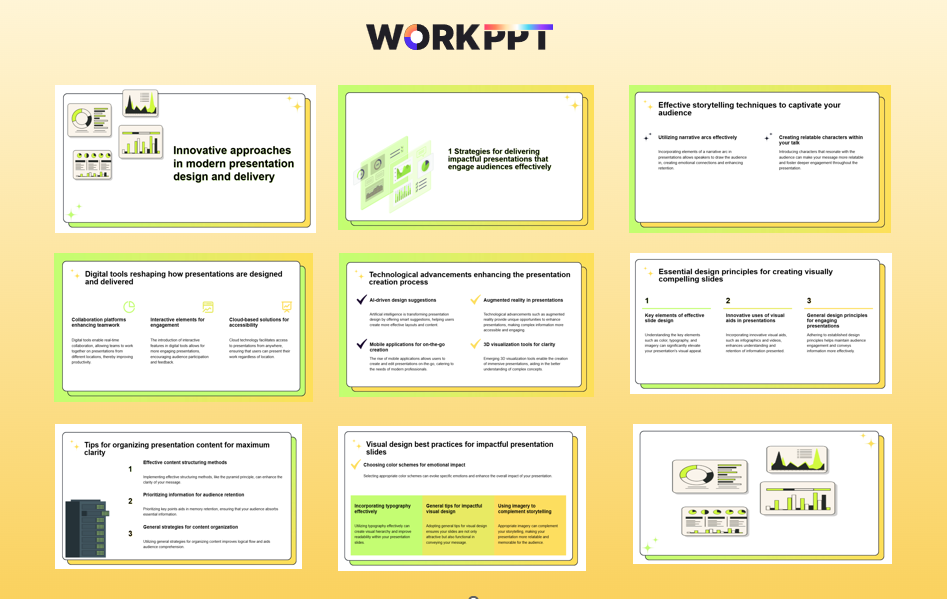
WorkPPT: Create presentations from text or documents in seconds, and then allows you to add multimedia elements that make a presentation truly effective.
Why Choose WorkPPT AI PPT Maker
🪄Design and organize automatically 📚5000+ professional templates 📊Rich Customization 📤Export as PPT, PDF, or images 🧰 Built-in AI toolkits
Control pacing so the audience has time to absorb information
FAQs about Presentation Multimedia
Q: What types of multimedia presentations are there?
A: Common types of multimedia presentations include multimedia slideshows, video-based presentations, narrated presentations, interactive presentations, and web-based presentations.
Q: What makes an effective multimedia presentation?
A: An effective multimedia presentation uses clear structure, balanced media, readable text, consistent design, and appropriate pacing to support the message without overwhelming the audience.
Q: What tools can be used to create multimedia presentations?
A: Several tools can be used to create multimedia presentations, including traditional software like PowerPoint and Google Slides. AI-powered tools such as WorkPPT simplify the process by eliminating the need to design and layout slides manually. You can focus on content while freely adding images, videos, audio, and other multimedia elements.
Q: Should every slide include multimedia elements?
A: No. Multimedia should be used purposefully. Some slides may only need text or visuals, while others benefit from audio or video, depending on the content and context.
💬 Conclusion:
What makes a presentation “multimedia” is not the number of effects used, but how different media elements work together to explain ideas clearly. With the right tools like WorkPPT AI Presentation Maker, the process becomes more efficient.
See how WorkPPT creates presentations in seconds magically:
As the AI Tools Laboratory Director and an expert in deep customization techniques for PowerPoint and Google Slides, I leverage my experience testing 87 AI tools to enhance creative processes. A Stanford dropout in Human-Computer Interaction, I am passionate about transforming repetitive tasks into opportunities for inspiration, believing that 'tools are servants, not masters'. At WorkPPT, I advocate for the creative freedom that comes from human-machine symbiosis.
How to Choose and Download Free PPT Backgrounds (A Beginner’s Guide)
How to Insert YouTube Video in Canva Presentation(2026 Guide)