


Writing with AI is fast, but making it sound like a real person is the hard part. If you have ever been flagged by an AI detector, you know how frustrating it is.
In this guide, we will look at the best AI humanizer tools in this year. We tested them for speed, accuracy, and how well they hide from detectors like GPTZero and Turnitin. If you want your writing to be safe and natural, keep reading.
What is an AI Humanizer and How Does It Work?
An AI humanizer is not just a fancy dictionary. While a “thesaurus” simply swaps one word for another, a humanizer changes the rhythm of your writing.
AI writes in patterns. It uses similar sentence lengths and very “safe” words. Humans are different; we write some short sentences and some long ones. We use idioms, and we sometimes repeat ourselves for effect.
How AI humanizer tools work:
- Breaking Patterns: They change the structure so it doesn’t look like a machine made it.
- Adding “Burstiness”: This is a fancy way of saying they mix up short and long sentences.
- Adjusting Tone: They can make a boring paragraph sound like a friendly chat or a professional report.
Rankings: The Best AI Humanizers Compared
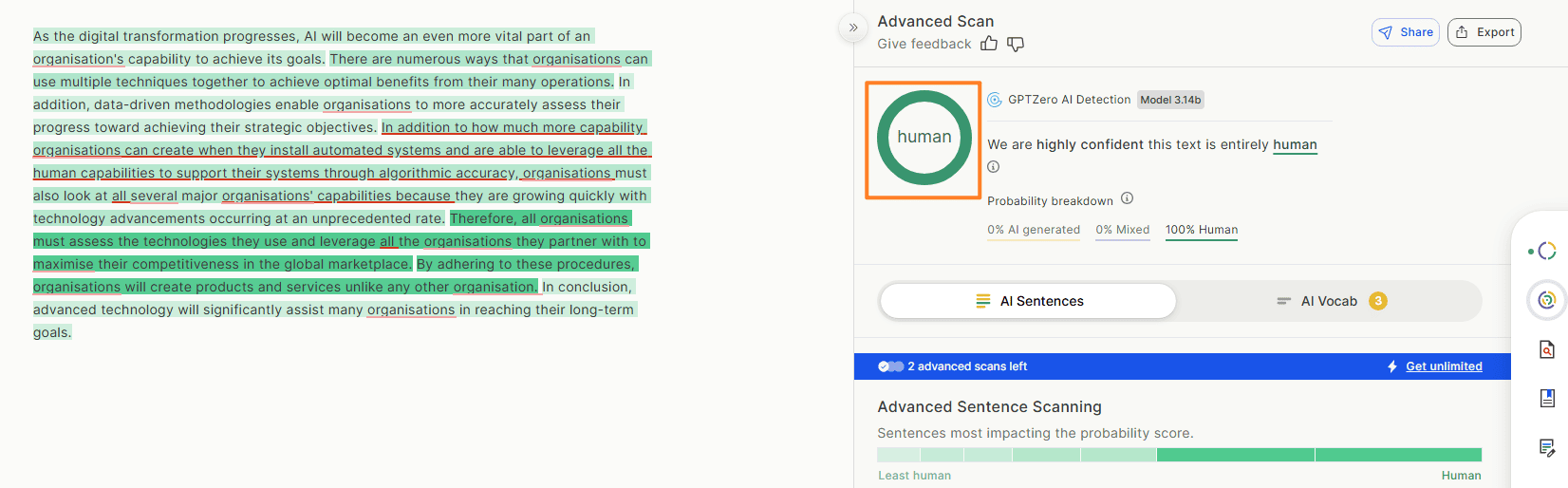
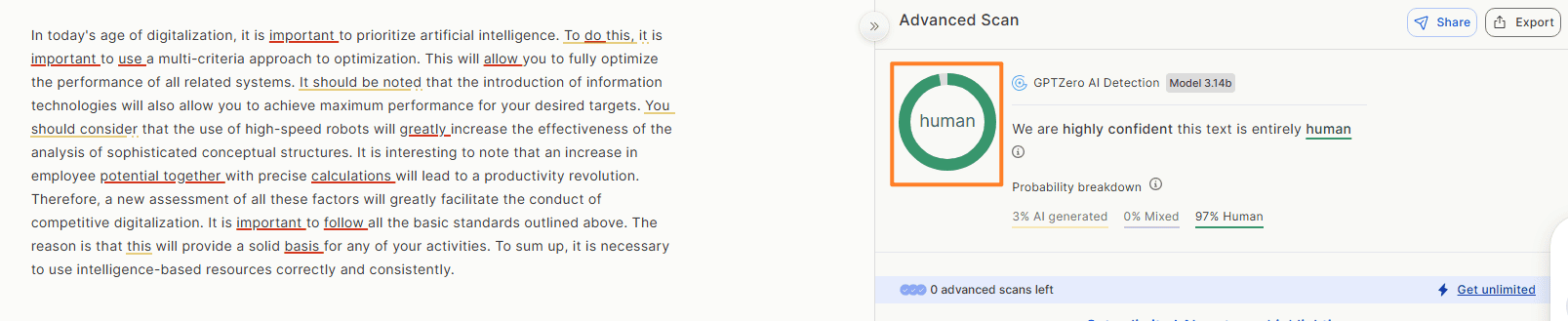
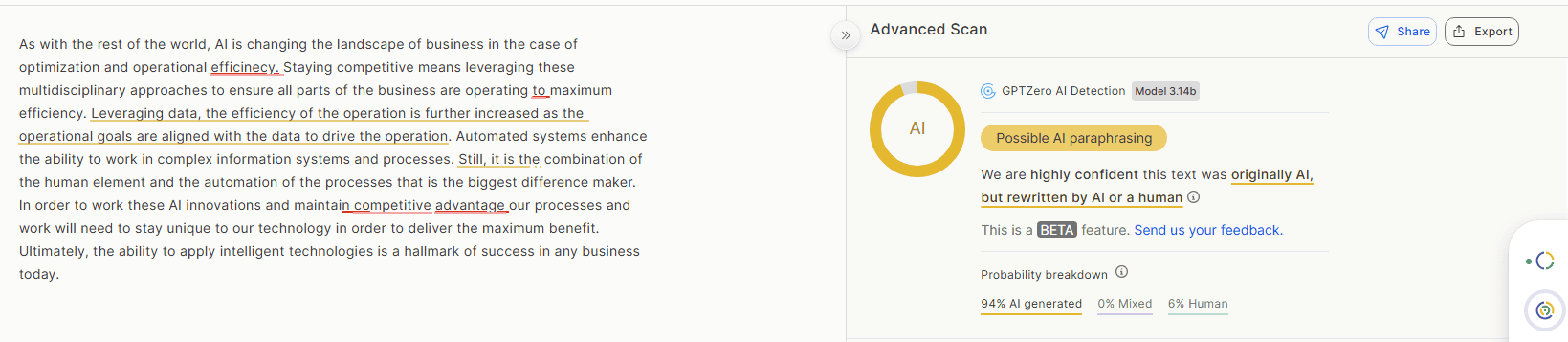
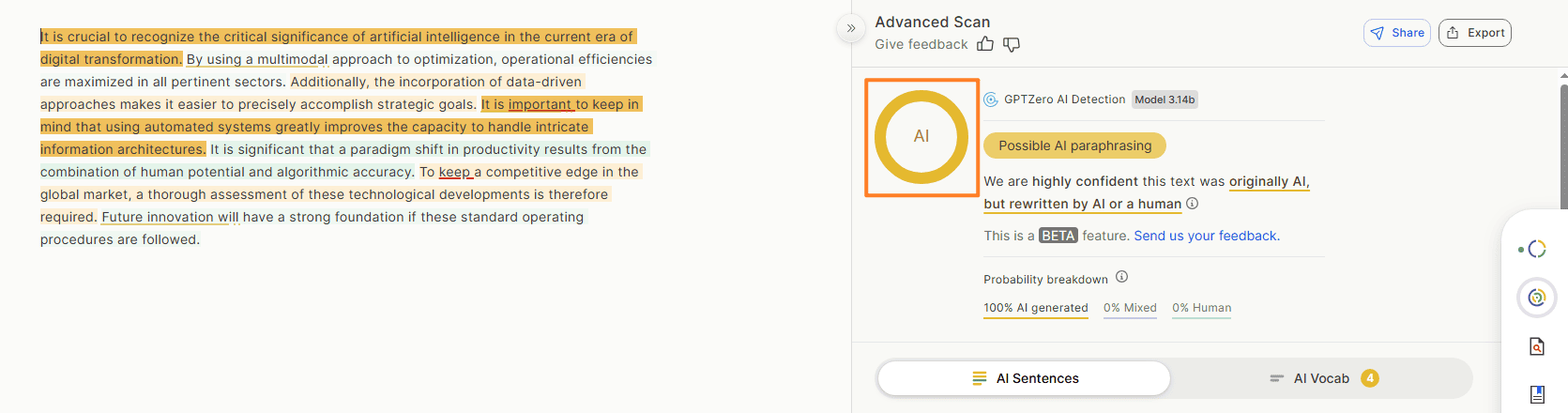
We spent weeks testing dozens of tools. All the result we tested by third-party AI detector platform GPTZero. We rank them as the detection result. Here are the top performers for 2026:
1. AI Humanize: Free Humanize AI Text Humanizer
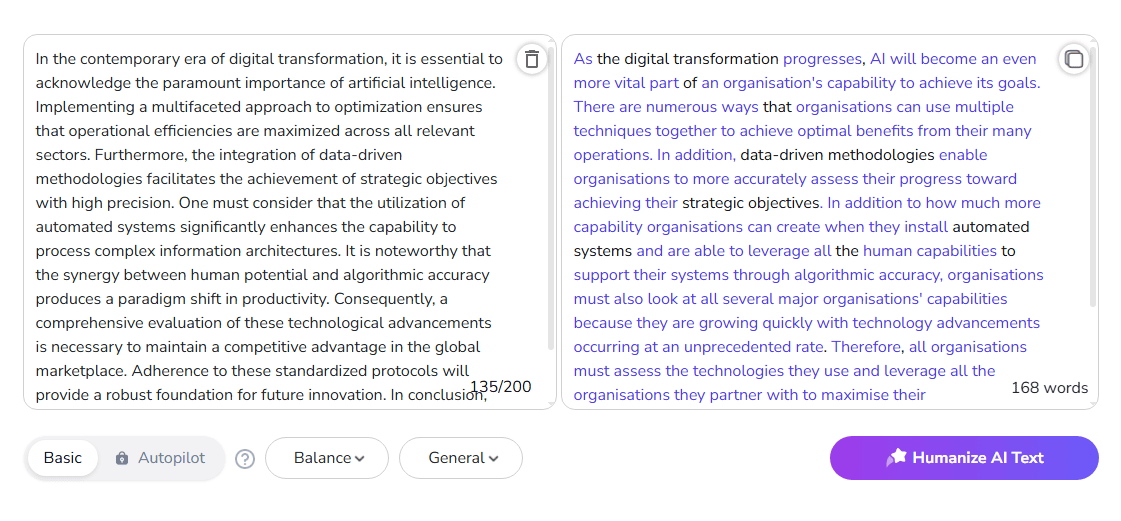
AIHumanize.io is a scene-based AI humanization tool that transforms AI text into natural, human-like writing. Its “Humanize AI LLM” adapts style for academic papers, blogs, business emails, and more, offers multiple rewrite versions, and includes AI detection plus detailed text analysis to fine‑tune tone and authenticity.
GPTzero Detect Score: 100% human;
😀 Pros:
- Scene-based writing for academic, blog, and business styles
- Fine-grained tone and formality controls
- Helpful text analysis graphs (perplexity, sentence length, etc.)
- Handles technical and creative writing equally well
- Free plan available (200 words)
😥 Cons:
- Some advanced features may be unnecessary for light users
- Output can contain punctuation and logical errors
- Quality may drop when over-optimized to evade AI detectors
2. Phrasly.ai
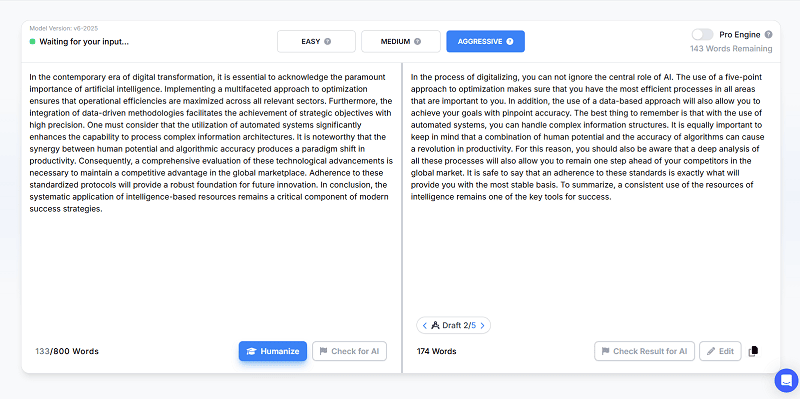
Phrasly is an all‑in‑one writing assistant built around real human data, not synthetic text. Its proprietary in‑house models generate authentic, watermark‑free writing without obvious AI patterns.
Designed especially for students and academic writers, Phrasly helps you draft, humanize, and verify content so it reads naturally and aligns with academic integrity standards.
😀 Pros:
- Optimized for essays, research papers, and assignments rather than generic marketing copy.
- Keeps in‑text citations and reference lists intact while humanizing surrounding text—no manual restoration needed.
- Tailors style and vocabulary for different disciplines (e.g., STEM vs. humanities), keeping terminology accurate and appropriate.
- Works well with QuillBot’s Plagiarism Checker and Citation Generator for responsible writing
- Pages editor, Humanizer, AI Writer, and AI Detector all live in one environment for cohesive workflows.
😥 Cons:
- Pricing reflects its niche academic focus, which may be overkill for casual or occasional users.
- Features are heavily tuned for assignments and research; business or marketing users may find it less compelling than broader tools.
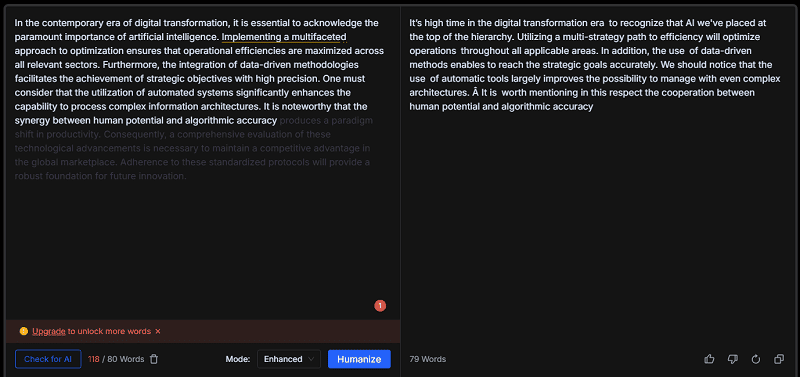
3. Bypassgpt.ai


😀 Pros:
- Effectively bypasses advanced detectors like Originality.ai and Copyleaks.
- Maintains keyword density to help your humanized content rank higher on Google.
- Helps emails and articles avoid being flagged by automated spam filters.
😥 Cons:
- The free version only allows you to process 80 words at a time
- Users cannot choose specific tones (e.g., casual, professional, or academic)
- Currently only supports English
4. Writehuman AI
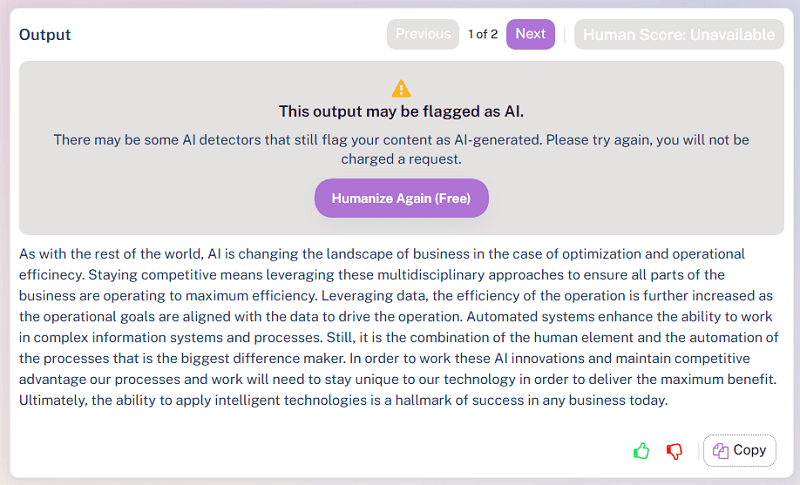
Writehuman is an AI humanizer that transforms raw AI drafts into natural, human‑sounding English. Paste text from ChatGPT, Claude, DeepSeek, Gemini, or any AI, and WriteHuman refines it for readability, emotional depth, and engagement. Extensively tested against leading AI detectors, it helps your writing sound authentically human in seconds.
😀 Pros:
- Specializes in turning AI text into authentic, human‑like English
- Extensively tested against major AI detectors (GPTZero, Copyleaks, QuillBot, Originality, etc.)
- Focus on emotional depth and natural phrasing, not just synonym swapping
😥 Cons:
- Currently supports only English
- Free tier is very limited (about 200 characters)
- Not a full writing suite (no built‑in drafting, research, or citation tools)
5. QuillBot - Free AI Humanizer Tool
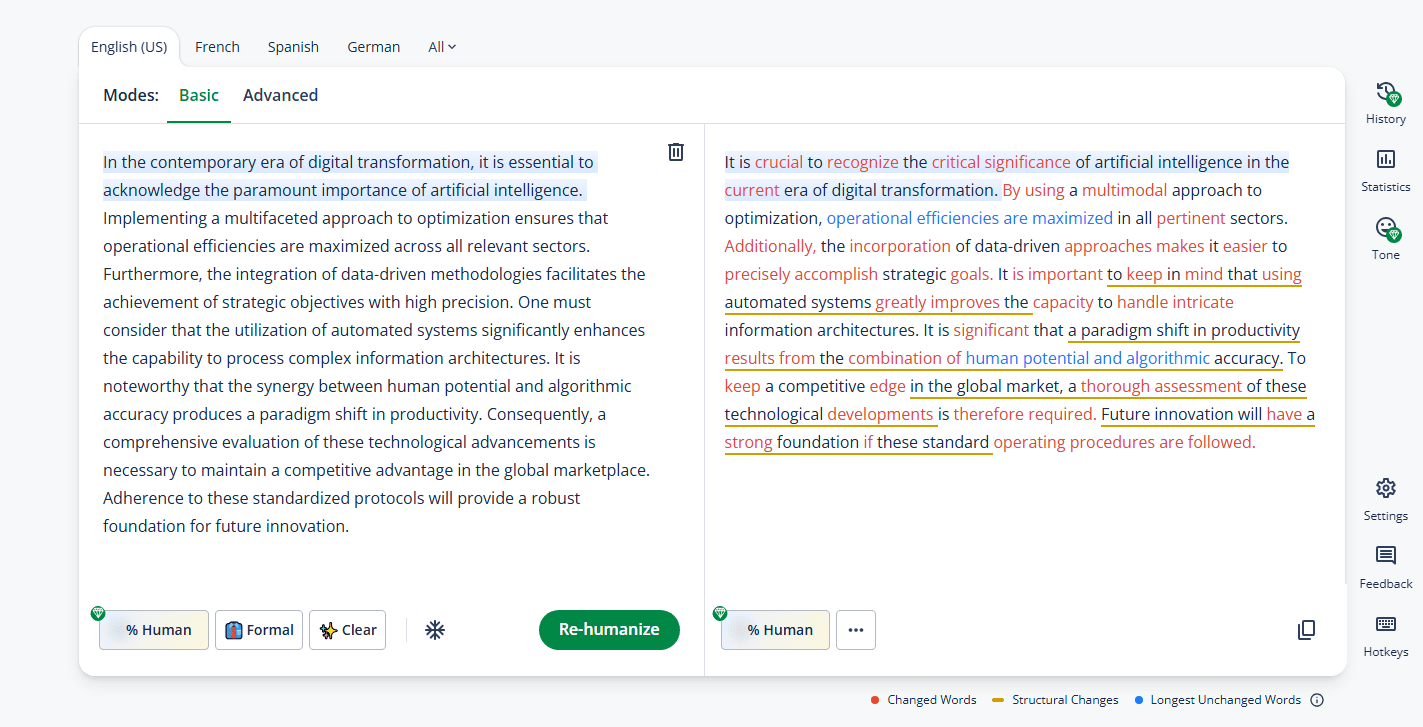
QuillBot’s Humanize AI tool is a free, easy‑to‑use humanizer that transforms AI‑generated text from models like ChatGPT, Gemini, Claude, and DeepSeek into natural, engaging language. With multilingual support and browser extensions, it helps users simplify complex writing and reduce obvious AI “tells” in everyday communications.
😀 Pros:
- Browser/extension support to humanize text directly in ChatGPT, Gemini, etc.
- Supports multiple languages and English dialects (US, UK, AU, CA)
- Great for simplifying complex documents into easy-to-understand text
- Works well with QuillBot’s Plagiarism Checker and Citation Generator for responsible writing
😥 Cons:
- Free plan restricts paraphrasing to about 125 words at a time
- No built‑in AI detection checker
Pro Tips: How to Get 100% Human Scores Manually
Even the best tool works better if you help it. Use these “Human Touch” tricks:
- Read it Out Loud: If you find yourself running out of breath, the sentence is too long. If it sounds weird saying it, rewrite it.
- Add a Personal Story: AI cannot remember “that one time in high school.” Adding a small personal detail or a joke makes it 100% human instantly.
- Start with “And” or “But”: Your teachers might hate it, but humans start sentences with these words all the time. AI rarely does.
- Use Contractions: Use “don’t” instead of “do not.” It sounds less like a robot.
FAQs About Humanizer that Are Good
Is using an AI humanizer cheating?
It depends on the rules. Most people use them as an “editor” to make their drafts sound more professional and natural, not to lie.
Will these tools fix my grammar?
Most of them do! However, always double-check. Sometimes they might use a “slang” word that doesn’t fit a formal paper.
📄 Text & documents to slides quickly
🧠 Powerful AI toolkits to save time
🎨 5,000+ education-ready templates
📤 Export to PPTX, PDF, or Google Slides
