

NotebookLM has gained immense popularity for its universe and powerful abilities. However, it also has many limitations. This article compares some top NotebookLM alternatives to help you find the best tool for your work and life. Let’s dive in together!
NotebookLM is an AI-powered research assistant developed by Google that focuses on helping users understand and work with their own documents. NotebookLM is designed around document understanding rather than general AI conversation. Its core features include:
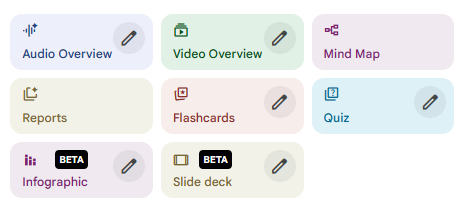
Limitations of NotebookLM:
- Text-focused output, with no built-in support for presentations or visual content
- Limited flexibility for creative tasks like storytelling or slide structuring
- Rigid workflow, centered mainly on reading and summarizing rather than producing final deliverables
- Minimal collaboration features, which can be restrictive for team-based projects
These constraints may affect your workflow. The following comparison shows you the features of alternatives to NotebookLM and why switch to them when NotebookLM doesn’t work better.
5 Best Notebooklm Alternatives Direct Comparision
| Tool | Core Focus | Strengths | Limitations | Best For | Pricing |
|---|---|---|---|---|---|
| NotebookLM | Source-grounded research and learning | Strong document understanding, summaries, Q&A tied to sources, multiple learning outputs (audio, mind maps, quizzes) | Limited support for polished deliverables, basic slide generation, less flexible for creative workflows | Studying, research review, source-based learning | Free (availability may vary by region) |
| WorkPPT | AI-powered presentation creation | Turns text or documents into structured slide decks, clear logic, presentation-focused output, low learning curve | Not designed for deep document analysis or note-taking | Presentations, lectures, reports, business decks | Free plan + paid plans |
| ChatGPT | General-purpose AI assistance | Highly flexible, strong writing and ideation, adapts to different tasks and tones | Not source-grounded by default, requires prompting to stay accurate | Writing, brainstorming, explanations | Free plan + paid plans |
| Gemini | AI research and productivity | Integrated with Google Docs and Drive, search-enhanced responses, versatile use cases | Less controlled source grounding, output varies by context | Google Workspace users, research + writing | Free plan + paid plans |
| Notion AI | Workspace productivity and collaboration | Combines notes, tasks, databases, and AI assistance, strong team collaboration | Less specialized in deep document reasoning or learning workflows | Team projects, knowledge bases | Paid add-on |
| Obsidian | Personal knowledge management | Local-first, full data control, powerful note linking and graph view | Steep learning curve, limited native AI features | Long-term personal knowledge systems | Free for personal use |
Notebooklm Alternative For Slide Deck: WorkPPT
NotebookLM recently launched its highly anticipated “Slide Deck” feature. Allowing users to instantly transform dense source materials into visually polished presentations. However, the current version (still in Beta) comes with notable constraints. It can not edit it and export as a normal PPTX file.
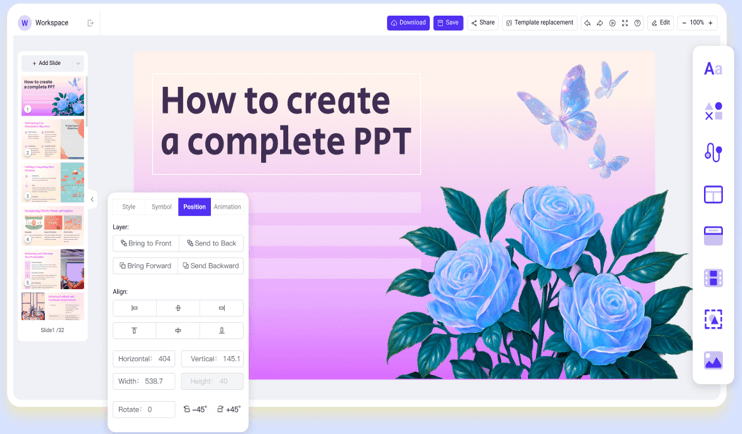
WorkPPT fills this gap. WorkPPT transforms ideas, images, or documents into structured and editable presentation slides with clear logic and visual hierarchy.
⭐728323 presentations made
Advantages of WorkPPT AI PPT Maker:
- Turn text, images, and files into slide decks in seconds.
- Over 5000+ templates covering business, education, and marketing fields.
- Support multiple usage languages like English, French, Spanish and so on.
- Fully customize the AI-generated slide: drop and drop text, change fonts, add animations, etc.
- Allow export as PPTX, PDF, images or share with a link.
Other Powerful AI Features:
- AI PDF: Merge, split, add watermarks, convert to images.
- AI Summarizer: Turn long documents into clear takeaways in 3 seconds.
- AI Chat: Get quick answers and inspiration.
- AI Mind Map: Create logical mind maps in one click.
⭐⭐⭐⭐⭐ Rated 4.8 by 1.3M Users
WorkPPT stands out as the best solution when users require a professional, highly customizable presentation experience that NotebookLM cannot provide. Besides, WorkPPT integrates powerful AI Features to streamline every stage of the professional workflow.
NotebookLM vs ChatGPT
ChatGPT and NotebookLM serve very different purposes. NotebookLM prioritizes accuracy based on uploaded sources, while ChatGPT emphasizes flexibility and creativity.
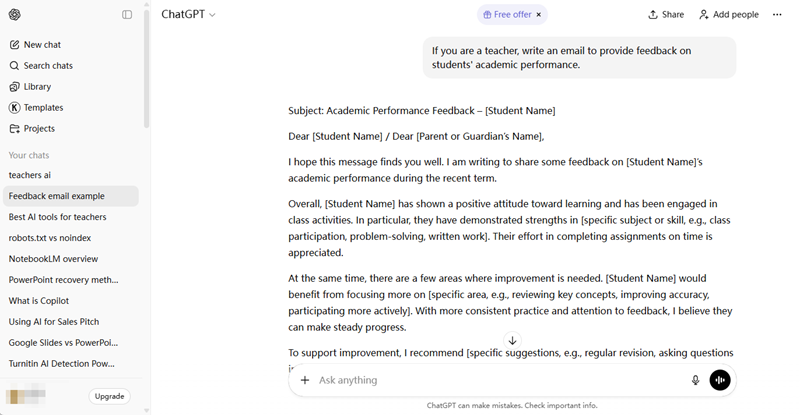
ChatGPT is well-suited for:
- Drafting and rewriting content
- Brainstorming ideas
- Explaining concepts in different tones or styles
However, it requires more user guidance to stay aligned with specific documents. Users who value control and versatility often prefer ChatGPT, while those focused on document-based research may favor NotebookLM.
NotebookLM vs Gemini
Gemini offers a broader AI experience, especially for users already working within Google Workspace. It integrates smoothly with Google Docs, Drive, and online search, making it useful for research and productivity tasks.
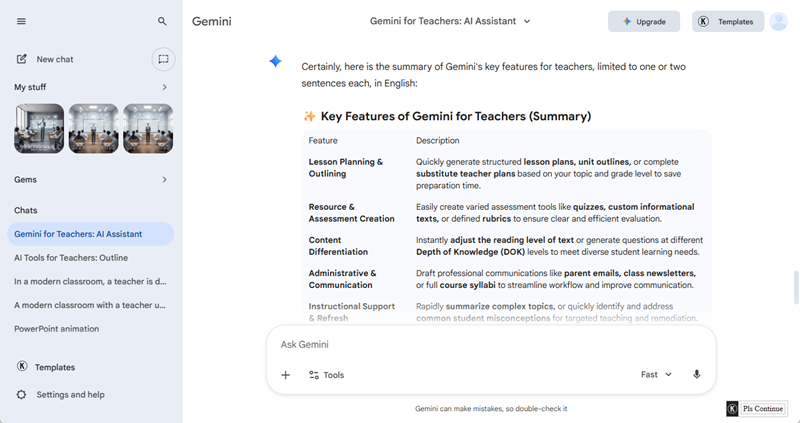
Compared to NotebookLM:
- Gemini is more search-enhanced and versatile
- NotebookLM is more document-focused and controlled
For users deeply embedded in Google tools, Gemini can be a more flexible alternative.
NotebookLM vs Notion
Notion operates inside an all-in-one workspace that combines notes, tasks, and databases. Unlike NotebookLM, which focuses on analyzing documents, Notion AI supports ongoing projects and team collaboration.
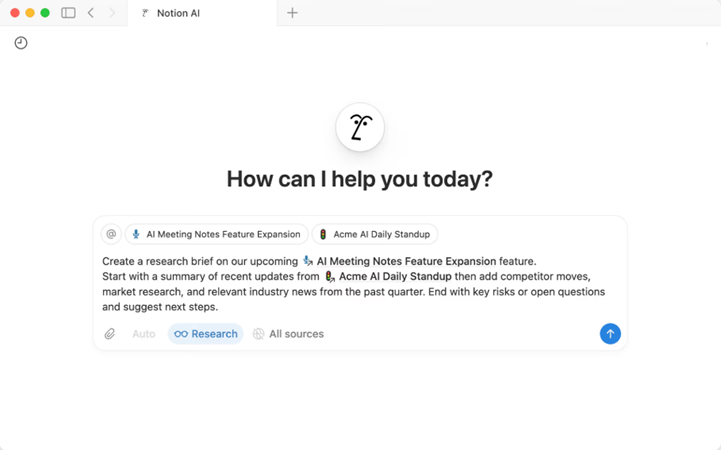
Notion AI works best for:
- Team knowledge bases
- Project documentation
- Long-term planning
However, it is less specialized in deep document reasoning, making it better suited for workflow management than academic-style research.
Notebooklm vs Obsidian
Obsidian takes a completely different approach. It is a local-first note-taking tool built around linked markdown notes rather than AI-driven analysis.
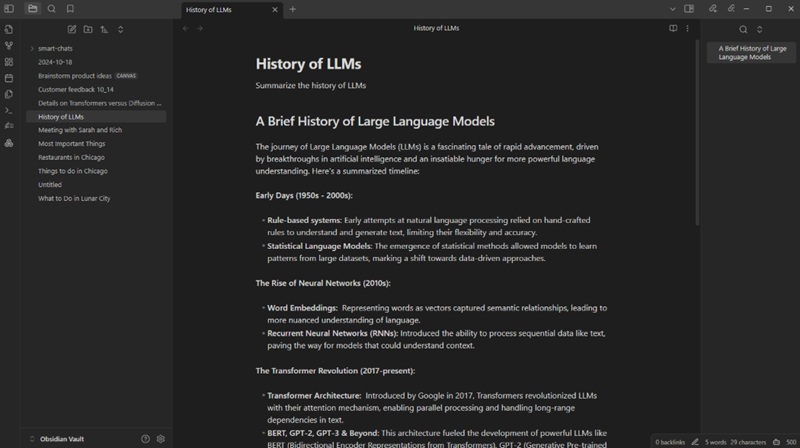
Compared to NotebookLM:
- Obsidian offers full control and data ownership
- NotebookLM provides automated insights and summaries
Obsidian is ideal for advanced users who enjoy building personal knowledge systems, while NotebookLM suits those who want faster AI assistance with minimal setup.
FAQs About AI Tools for College Students
Q1: IWhy should I consider an alternative to NotebookLM?
A: While NotebookLM is a powerful research assistant, it has specific limitations that might not fit every professional or creative workflow. You should consider an alternative if you need:
- Full Editability and Customization:If you need to tweak text, change layouts, or use specific brand templates, a specialized tool like WorkPPT is essential for creating fully editable PPTX files.
- Broad Creative Brainstorming: If you need an AI that can tap into vast general knowledge for creative brainstorming, coding, or diverse writing styles, ChatGPT or Gemini are more versatile partners.
- Advanced Data Privacy and Offline Access: Since NotebookLM is a cloud-based Google product, users with high privacy concerns may prefer Obsidian, which stores all data locally on your device and works entirely offline.
- Comprehensive Project Management: NotebookLM is designed for deep dives into specific topics, but it lacks the task tracking, database structures, and team collaboration features found in an all-in-one workspace like Notion.
- Long-term Knowledge Linking: If you want to build a “Second Brain” where ideas across years of notes are interconnected via a visual graph, Obsidian is more powerful.
Q2: How does WorkPPT differ from NotebookLM’s "Slide Deck" feature?
A: NotebookLM generates static, non-editable images or PDFs in its Beta version, WorkPPT is a professional AI presentation maker. It allows you to convert files (PDF, Word, etc.) into fully editable PPTX files with access to over 5,000 templates, ensuring you can customize every detail after the AI generation.
Q3: Can Gemini or ChatGPT replace NotebookLM for document research?
A: es, but with different strengths. Gemini (especially the Pro version) is the powerhouse behind NotebookLM, offering a massive context window for long documents. ChatGPT excels at creative brainstorming and explaining complex concepts in multiple ways.
💬 Conclusion:
NotebookLM is a powerful tool for understanding documents, but it is not designed for every workflow. Whether you need presentations, collaborative workspaces, or creative writing, the right alternative depends on how you use information—not just how you read it.
📄 Text & documents to slides quickly
🧠 Powerful AI toolkits to save time
🎨 5,000+ education-ready templates
📤 Export to PPTX, PDF, or Google Slides
