
Can Turnitin Detect AI in PowerPoint? The Truth in 2025
Can Turnitin detect AI in PowerPoint? Many people worry about this question when they create slides with AI tools. The answer is Yes. This article gives a simple explanation of how Turnitin works, what it can detect, what it cannot detect, and how to avoid AI flags safely and honestly.
Yes. When you upload a PowerPoint file, Turnitin extracts all readable text from your slides. It also reads the speaker notes if you have written any.
It then compares this text against its database to check for plagiarism. If your text closely resembles common AI writing patterns, it may be flagged as AI-generated.
Turnitin generally cannot read text that is inside an image or a screenshot.
Turnitin AI Detection Capabilities
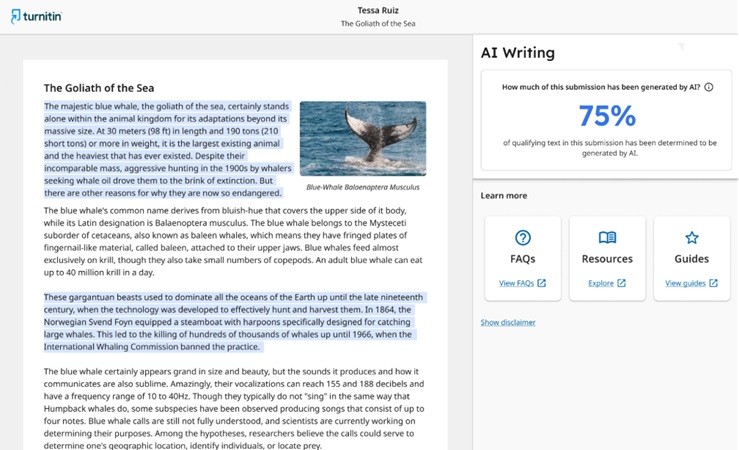
Turnitin has added a special tool specifically to catch AI writing from models like ChatGPT. It looks for robotic sentence structures and predictable patterns. However, its capabilities in PowerPoint are specific:
1. Text vs. Layout: The tool only checks the words, not the design. It cannot tell if an AI created your background or layout.
2. Word Count Rule: The AI detector usually requires a minimum of about 300 words to generate a score. If your presentation has very little text, the detector might not run at all.
3. Speaker Notes: This is a common trap. If you submit a file that includes “Speaker Notes” (the script at the bottom of the slide), Turnitin will check that text too. Since speaker notes are usually long paragraphs, they are very easy for the AI detector to analyze.
Accuracy and Limitations of Turnitin AI Detection
Turnitin is not perfect. It is more accurate when the text is long and highly structured. It is less accurate with short bullet points or simple sentences. Here are some common limitations:
PowerPoint slides often have very little text, so detection is harder.
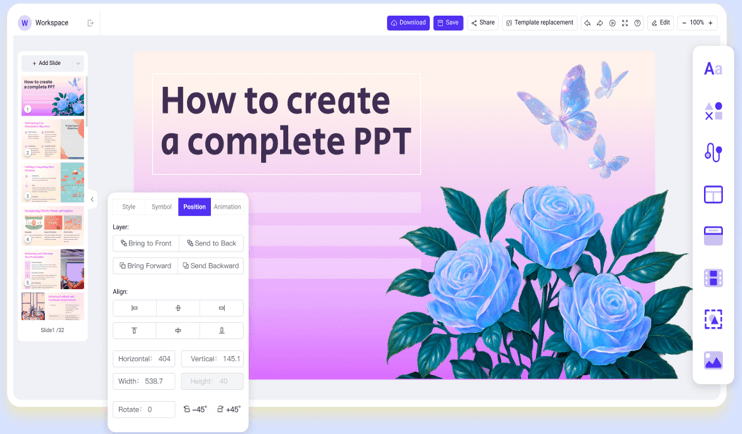
While manual editing is effective, some advanced tools are designed to create content that avoids common AI patterns. If you want slides that look natural and human, using tools like WorkPPT AI PPT can be a good choice.
Content from Idea or File: It creates text from your topic or your uploaded file. The content is clear and relevant.
Auto Design Layout: It designs the layout for you. This keeps the slides short and visual, so you do not have long text blocks that AI detectors often flag.
Excellent PowerPoint Compatibility: It can export a PPTX file without any format issues.
A: Yes, Turnitin can detect AI-generated content in the selectable text on your slides.
Q: Is Turnitin AI detection 100% accurate?
A: No. Turnitin’s AI detection model is designed to be highly accurate but is not 100%.
Q: What kinds of AI can Turnitin detect?
A: Turnitin’s AI detection tool is primarily designed to identify content generated by Large Language Models (LLMs) such as those powering ChatGPT, Google Gemini, and similar AI tools.
Q: How to avoid plagiarism in PPT?
A: Always cite all sources used for external data, images, and quoted or paraphrased text within your slides and speaker notes using a consistent citation style. Write your content in your own unique voice to prevent similarity flags.
💬 Conclusion:
Can Turnitin detect AI in PowerPoint? Yes, but it is not entirely accurate and has limitations. The best way to stay safe is to use your own words and cite your sources correctly. If you want a slide with human-like content and professional design, WorkPPT is the best assistant.
Create Natural Slides With WorkPPT
WorkPPT helps you turn ideas or files into clean, well-designed slides that read naturally and avoid generic AI patterns.
As the AI Tools Laboratory Director and an expert in deep customization techniques for PowerPoint and Google Slides, I leverage my experience testing 87 AI tools to enhance creative processes. A Stanford dropout in Human-Computer Interaction, I am passionate about transforming repetitive tasks into opportunities for inspiration, believing that 'tools are servants, not masters'. At WorkPPT, I advocate for the creative freedom that comes from human-machine symbiosis.
How to Write and Remember a Presentation Script (With AI Tools)
What is an AI Presentation Maker: Features, Benefits, and How It Work