

Creating presentations online has evolved far beyond basic slide editors. Today’s online presentation makers combine AI content generation, smart design systems, collaboration, and flexible export options—often replacing traditional PowerPoint workflows entirely.
This article reviews the top online presentation makers, based on real-world usage, feature depth, output quality, and practical limitations.
An online presentation maker is a browser-based tool that allows users to create, edit, and share presentations without installing desktop software. Unlike traditional editors, modern online presentation tools often include:
- AI-generated outlines and slide content
- Automatic layout and visual consistency
- Cloud collaboration and sharing
- Export to PowerPoint, Google Slides, PDF, or web links
Some tools are AI-first, while others are design-centric or interactive-focused.
Quick Comparison: Top Online Presentation Makers
| Tool | AI Generation | Export Options | Visual Style | Best For |
|---|---|---|---|---|
| Gamma | Strong | PDF, PPT (watermark on free) | Modern, consistent | Polished business & educational decks |
| Canva | Medium | PPT, PDF, MP4 | Design-heavy | Everyday presentations & branding |
| WorkPPT | Strong (doc-driven) | PPTX, Google Slides | Structured, clean | Turning files & data into slides |
| Presentation AI | Strong | Share/publish only | Professional, data-rich | Online sharing & visual reports |
| Simplified | Light AI | Web, limited PPT | Dynamic, non-linear | Interactive storytelling |
In-Depth Review of 5 Best Online AI Presentation Makers
In this section, we will provide you with an in-depth introduction to the top five websites for creative presentations for 2026, covering five aspects.
1. WorkPPT All-in-one Online PPT Maker [Top Pick]
Type: AI productivity-focused online presentation maker
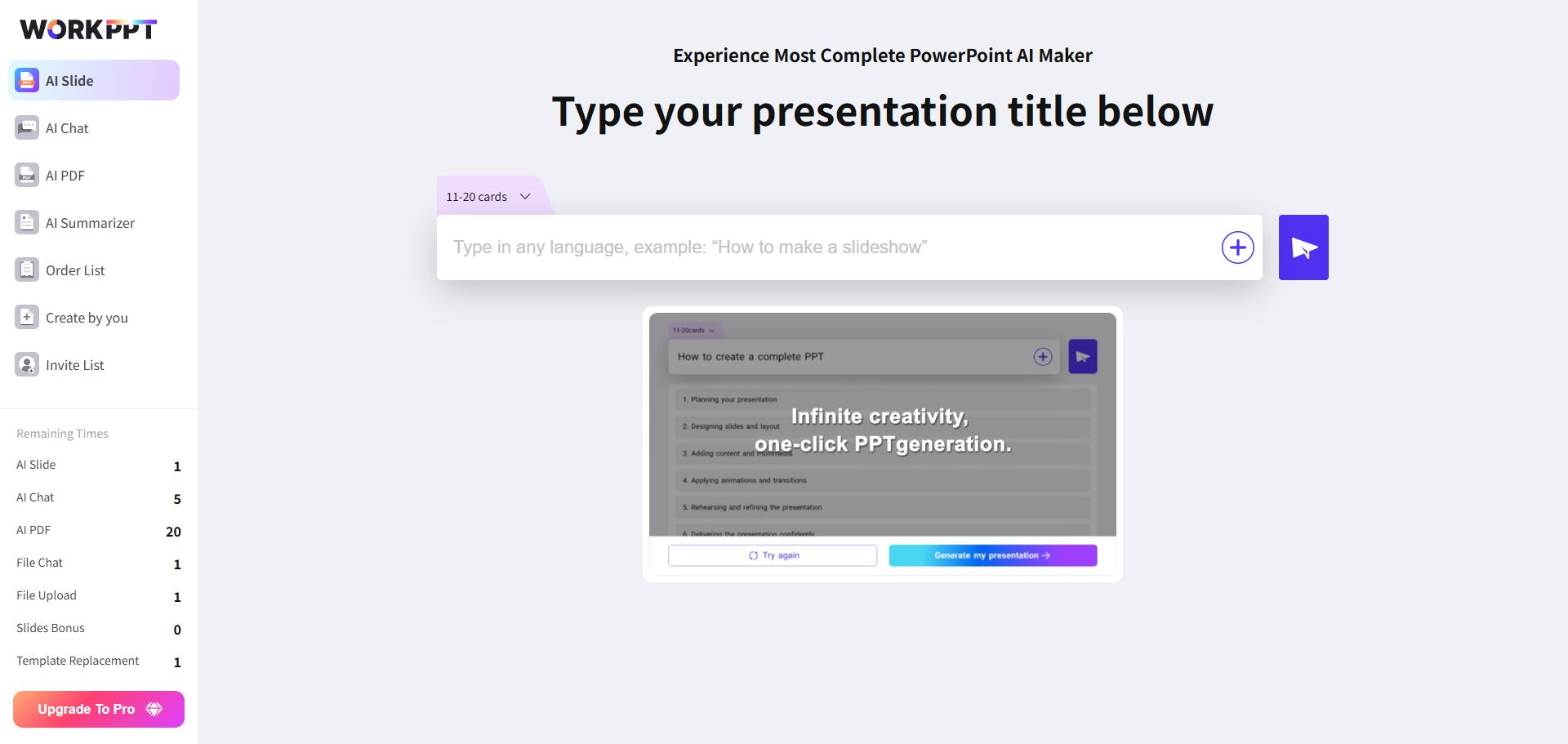
WorkPPT is an AI PPT creation platform designed to enhance efficiency and expressiveness. It caters to office workers, teachers, and students. The interface is simple, it works quickly, and you can start using it without any learning curve.
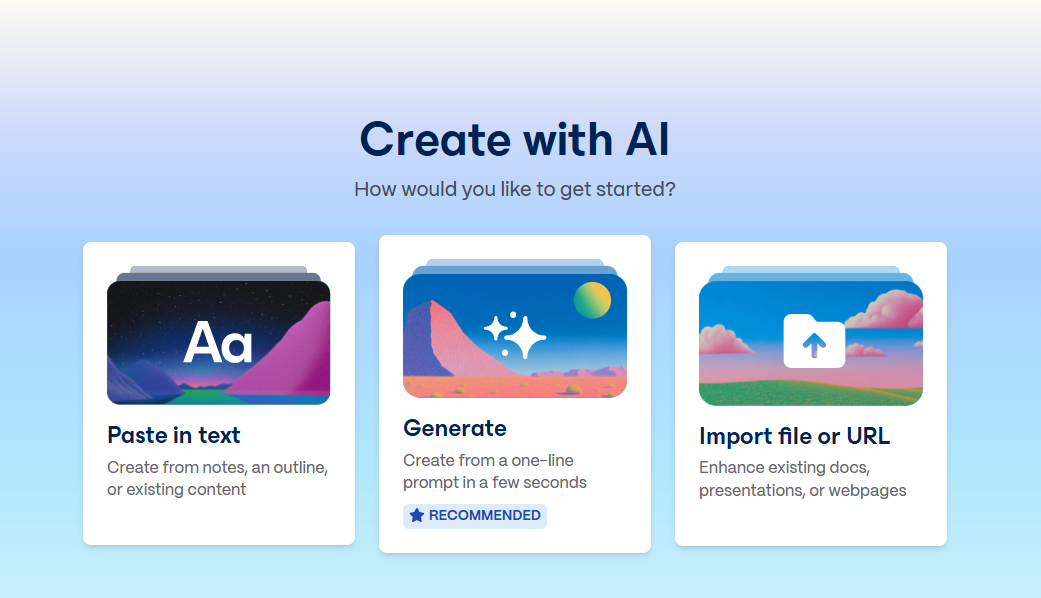
Just enter your topic, and in about 5 seconds, WorkPPT creates a complete presentation with a cover page, section headings, clear content, and relevant images. The slides are logically structured, unlike some AI tools that produce messy or unclear text.
Best for: Students, teachers, consultants, marketers, and teams converting existing documents into structured decks.
- Interface & Ease of Use: Workppt features a clean, intuitive design that’s beginner-friendly. Navigation is clear, and first-time users will find tools easy to locate and use.
- Templates & Customization: A rich library of well-organized templates categorized by purpose and industry. Template cross-replacement allows you to change templates without losing existing content or formatting.
- AI Features: Work PPT goes beyond presentations with a suite of AI tools, including merge and split PDF, AI Chat, and AI summerizer, which streamline document handling and enhance productivity.
- Export Options: Users can export presentations in multiple formats: PDF, PPTX, PNG, JPG, or even print directly.
- Use Case & Verdict: Ideal for users who want an all-in-one productivity suite with solid presentation features. Its simplicity and multifunctional AI tools make it perfect for students, office professionals, and small teams.
😊Pros
- High-quality Chinese AI generation.
- Extensive templates with professional styles.
- Simple operation and fast generation.
- Supports collaboration and multi-format export.
😑Cons
- Basic animation and transition effects.
- Free users have export limits.
2. Gamma – Best for Visually Consistent, AI-Generated Decks

- Interface & Ease of Use: The interface is user-friendly and modern, though it may take some time to master for traditional slide users.
- Templates & Customization: It provides stylish, flexible templates. You can easily mix content types (text, video, charts) and interactive elements for high engagement.
- AI Features: AI helps organize content logically, suggests visuals, and formats slides for balance and consistency. Includes built-in analytic to track viewer engagement.
- Export Options: Supports web presentation, PDF download, and responsive design for mobile and desktop viewers. PowerPoint export may be limited.
- Use Case & Verdict: Perfect for interactive reports, marketing demos, and client presentations. Ideal for those who want viewer interaction and a modern look.
😊Pros
- Beautiful, professional page designs.
- Can generate AI content and beautify imported documents.
- Easy, intuitive modular editing.
😑Cons
- Limited templates, may feel restrictive for users who want more design options.
- Free version can’t export directly to PPT or PDF.
If you want your PowerPoint to look sleek and well-designed, almost like a web page, Gamma is worth checking out.
✍ [You May Also Like]: Free AI Presentation Makers Worth Trying in 2026
3. Simplified
If you want to handle copywriting, design, video editing, and presentations with one platform, Simplified is definitely worth trying as a versatile online PPT presentation maker.
Simplified’s philosophy is to make AI content creation accessible to everyone, enabling users to produce professional-looking works in minutes.
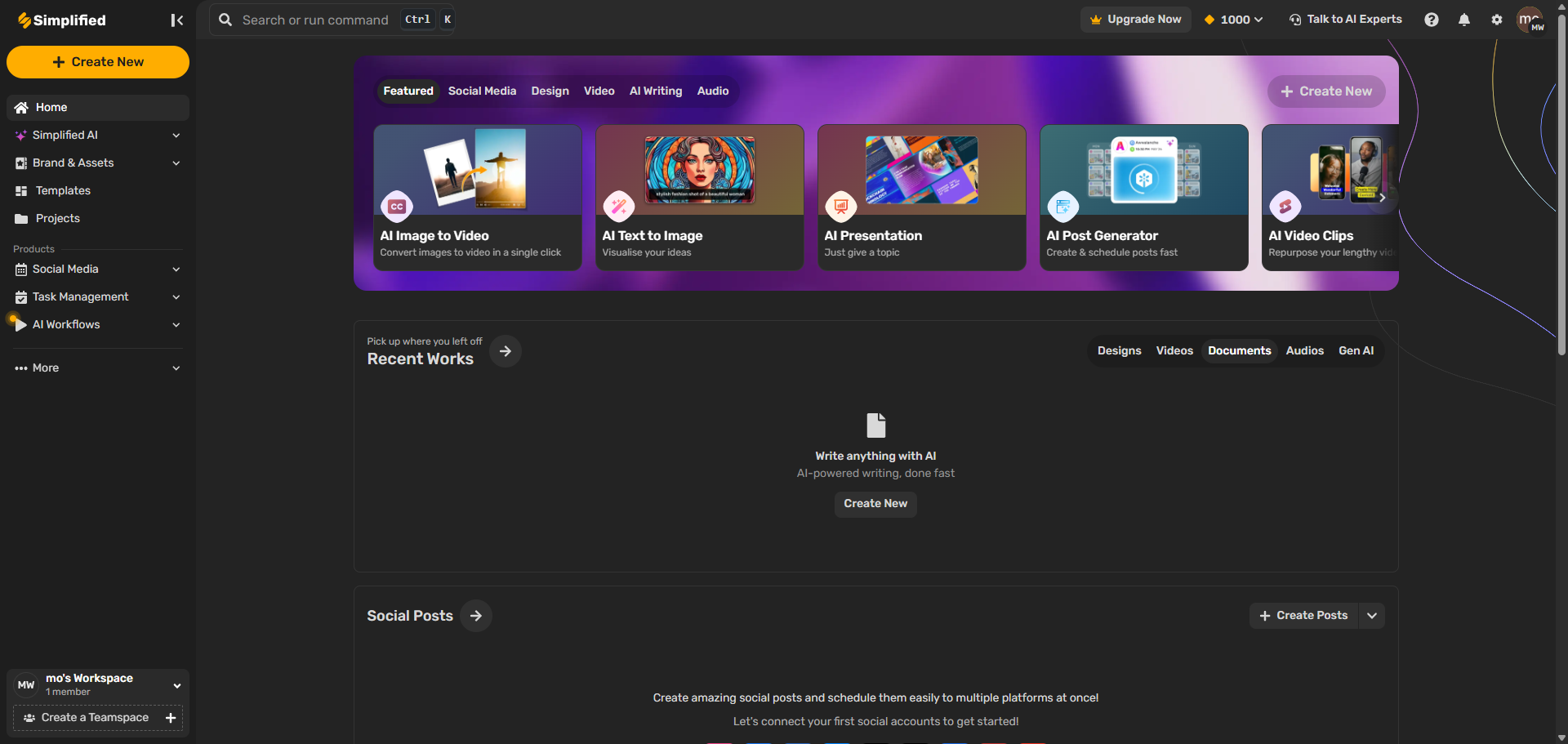
- Interface & Ease of Use: Simplified combines presentation tools with a full creative suite. The UI is slightly more complex due to its multi-functionality but becomes powerful once mastered.
- Templates & Customization: Offers a massive range of templates and visual assets, including stock photos, icons, and animations. Includes brand kit tools for maintaining visual consistency.
- AI Features: Its AI can write copy, generate designs, and even automate social content alongside presentations. Great for marketing teams.
- Export Options: Supports exports in PPTX, PDF, video formats, and direct publishing to social platforms. Collaborative editing and version history are built in.
- Use Case & Verdict: Best for creative teams, agencies, and social media marketers who want a one-stop content creation platform.
😊Pros
- AI writing and design in one.
- Supports multi-user collaboration and brand management.
😑Cons
- The free version has more restrictions, premium templates require subscription to use.
- Export speed is slightly slower, large file downloads may take 10+ seconds.
Simplified combines AI and design in one place, perfect for anyone who needs everything from writing to creating slides.
Design Smarter with WorkPPT AI
Tired of spending hours designing your Google Slides? Try WorkPPT for free today and transform plain slides into eye-catching presentations!
4. Canva– Best All-in-One Online Design & Presentation Tool
Type: Design-centric online presentation platform
Canva is an online design tool aimed at non-designers. It focuses on a “drag-and-drop editor + a large number of templates” to help users quickly create various types of visual content.
Building on this, Canva has launched an AI presentation feature (Canva AI Presentation / Magic Design for Presentations), which allows users to automatically generate a complete presentation simply by entering a text prompt or uploading a document.
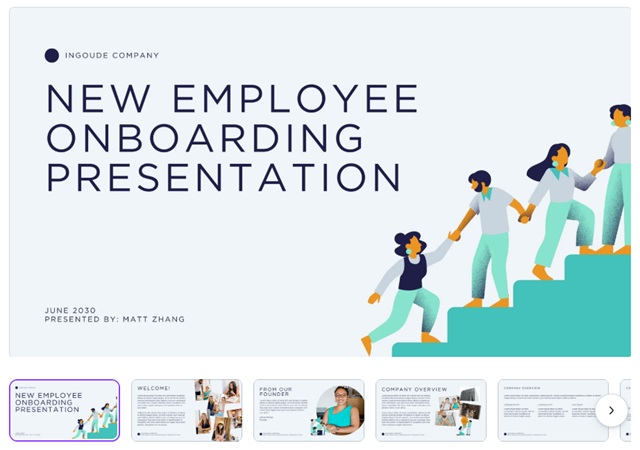
Best for: those looking for good visual presentation rather than deep content.
- Interface & Ease of Use: SlidesAI is built for speed and simplicity. The interface is minimal and focused on fast slide generation from user input.
- Templates & Customization: Template variety is basic but clean. After generating slides, users can manually adjust fonts, colors, and layouts as needed.
- AI Features: Paste in a paragraph or outline, and Slides AI’s engine will generate a complete presentation in seconds. Supports multilingual input.
- Export Options: Compatible with Google Slides, and PDF exports. Great for quick use in educational or internal environments.
- Use Case & Verdict: Ideal for global teams, educators, or anyone working heavily in Google Slides. Its multilingual support and smart content tools make it a powerful choice for international and remote collaboration.
😊Pros
- Directly embed in Google Slides.
- Simple operation, generate slides in a few steps.
- Supports tone adjustment.
😑Cons
- Limited template features.
- Only suitable for Google ecosystem users.
- High usage threshold for other users.
If you use Google Slides every day, it can help you quickly draft. But if you need a beautiful design, it is more limited.
✍ [You May Also Like]: How to Record a PowerPoint Presentation with Audio
5. Presentations.ai – Best for Professional Online-Only Sharing
Finally, we present Presentations.ai , a visually stunning AI-powered presentation generator. Its interface is as clean as Mac Pages, with minimal buttons. The platform is clearly positioned as a minimalist AI presentation tool designed for educational and business.
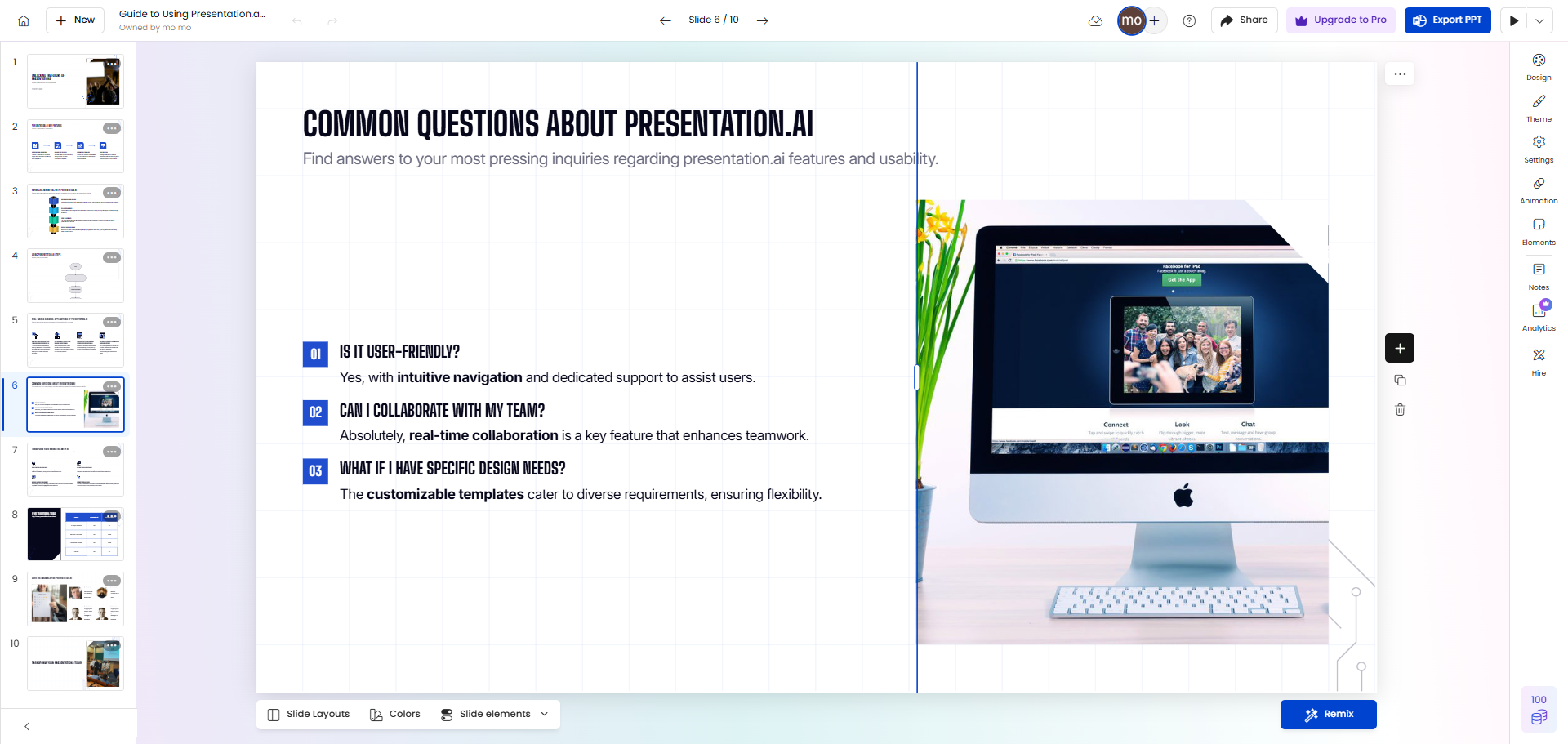
Best for: Online reports, strategy decks, investor updates, and web-based presentations.
- Interface & Ease of Use: Presentation.ai has a sleek design and rich features, but editing can lag on slower devices or networks.
- Templates & Customization: It provides various templates and excels at brand sync, auto-applying logos, fonts, and colors for a consistent look.
- AI Features: Built-in AI helps with structure, wording, and provides engagement analytics to improve presentations based on audience response.
- Export Options: Presentations can be shared via web links with real-time sync and fine-grained access control, making it ideal for team collaboration.
- Use Case & Verdict: Ideal for business teams focused on branding and analytics. However, performance issues and high pricing may deter solo users or small teams.
😊Pros
- Premium design.
- Enhanced collaboration and version control .
- Simple operation, easy to use.
😑Cons
- Limited templates, fewer creative options.
How to Choose Best Websites for Making Presentations
With so many AI presentation tools available, how do you pick the right one? Try these 5 simple steps:
- Define your purpose: Teaching, reporting, marketing, or roadshows. Different goals require different tools.
- Check AI features: Can it write content for you? Does it handle layouts automatically?
- Look at export options: Can you save as PPT, PDF, or video?
- Try the free version: See how good the AI is and how easy the interface feels.
- Check templates and branding: Can you use your company style or logo?
If you need seamless switching between content creation, voiceovers, and video export, WorkPPT is the most complete option today.
FAQs about Online AI Presentation Maker
Q: Are these online AI presentation tools free to use?
A: Absolutely. WorkPPT, Gamma, and Slides AI all offer free plans.
Q: Are online presentation tools secure?
A: Yes. All major online presentation platforms utilize cloud-based encrypted storage to ensure your data security.
Q: Can these online AI PPT generators be used offline?
A: No, as most are online platforms requiring an internet connection to operate.
Q: Which is the best tool for presentation?
A: It depends on your needs. WorkPPT offers a free trial with all functions and allows for export in multiple formats. Suitable for those who want to create presentations quickly but lack design skills.
💬 Conclusion:
In the past, we spent hours crafting PowerPoint presentations, but now online presentation tools can do it in seconds. That saves you time to focus on what really matters—shaping your ideas, telling a story, and engaging your audience.
I usually stick with WorkPPT because it fits office work perfectly and creates clean, professional slides. Sometimes, I use Gamma for creative proposals or Simplified for teaching materials.
