
How to Convert PowerPoint to Video with AI (Free Online Options)
Do you have a great PowerPoint presentation that no one is reading? You are not alone. People prefer watching over reading. Converting PPT to video makes your content more engaging, easier to share on social media, and perfect for remote training.
Whether you want a simple free conversion or a high-end AI video presentation maker, this guide covers everything you need to know.
If you are looking for a PPT to video free method without downloading extra software, Microsoft PowerPoint can do it natively.
How to export PPT to video:
Open your presentation.
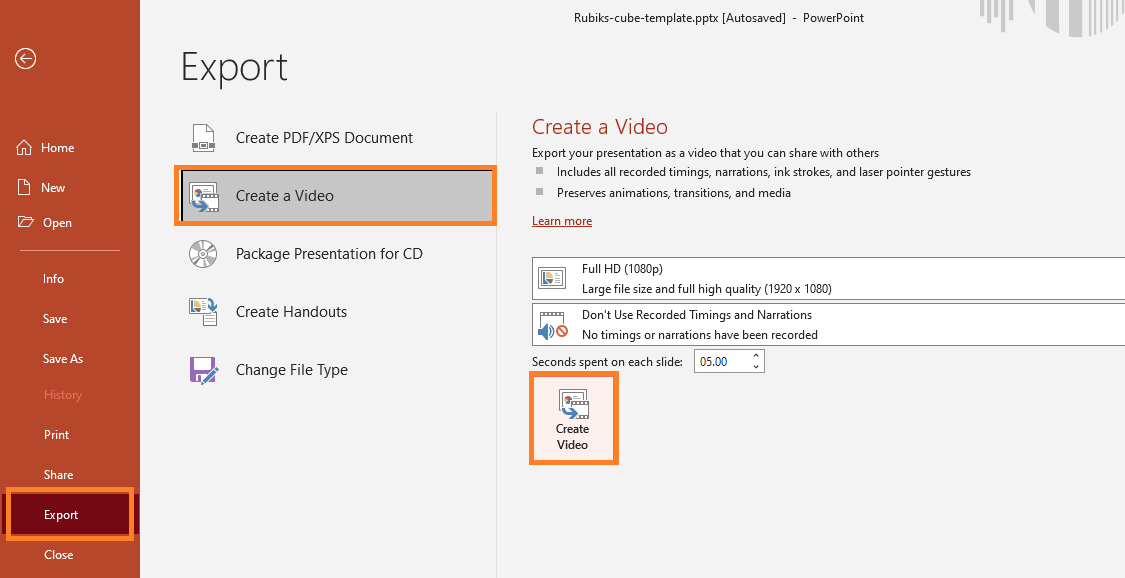
Go to File > Export > Create a Video.
Select your quality (1080p or 4K is best).
Choose “Use Recorded Timings and Narrations” if you have voiceovers.
Click Create Video and save it as an MP4.
Pros: Completely free and keeps your original animations.
Cons: It can look a bit “static” without a real person talking.
Before export, Polish your presentation first
Before you can make a great video, you need a high-quality presentation. If you are starting from scratch, don’t waste hours on formatting.
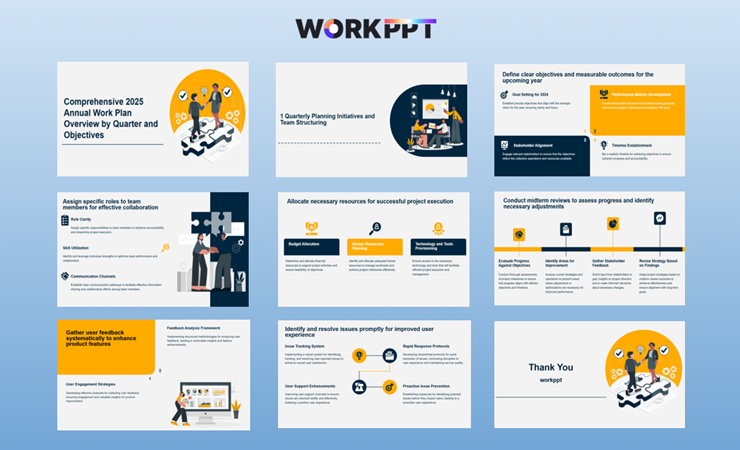
While tools like WorkPPT AI presentation maker don’t directly export MP4 files, they are the best way to build the “soul” of your video. WorkPPT is an AI presentation maker that turns your ideas, PDFs, Word docs, or even Excel data into professional slides in seconds.
Once WorkPPT helps you create the perfect deck, you can then use the following AI tools to add the “wow” factor.
WorkPPT – All in One Place
📄 Text & documents to slides quickly 🧠 Powerful AI toolkits to save time 🎨 5,000+ education-ready templates 📤 Export to PPTX, PDF, or Google Slides
Method 2: Use Free Online AI Video Presentation Makers
If you want to convert PPT to video with AI and include a talking presenter, this is the most modern approach. Tools like Pictory AI, or Synthesia, allow you to convert your slides to video with audios.
How to turn AI PPT to video with audio:
Upload your PPT: Import the slides you created (ideally using a tool like WorkPPT for the best layout).
Let AI summarize PPT: Let AI summarize and transform it into a video a narrated presentation.
Customize video: Customize your video, with AI Voices, styles and branding.
Download and share: Download the customized video for sharing.
Best for: Corporate training, educational lessons, and YouTube content.
Method 3: Use AI Presentation Maker Video Export Feature
How to use AI PPT to video?
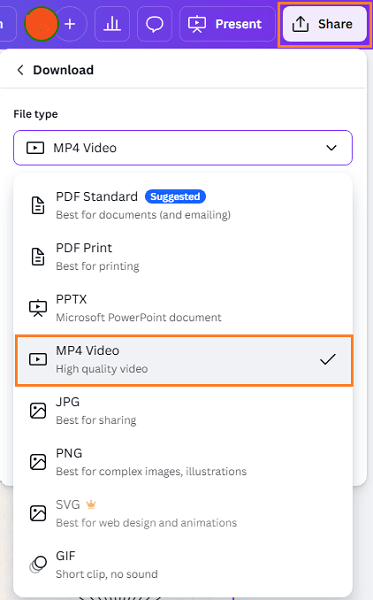
AI presentation makers like Canva have become a powerhouse for PPT to video online conversion. It is great for adding music and modern transitions. How to use AI PPT to video? Here we use Canva to make an example:
Upload your PowerPoint file to Canva.
Use the “Animate” button to add movement to your text and images.
Yes. You can either record your own voice inside PowerPoint using the “Record Slide Show” feature or use AI tools to generate a voiceover from your text.
How do I keep animations when converting?
Using the “Export” function within PowerPoint or Keynote is the best way to ensure every transition and animation stays exactly as you designed it.
Is there a PPT to video converter free online?
Yes, sites like CloudConvert or Zamzar can change the file format, but they usually won’t capture animations or audio well. For a high-quality result, use the export function or an AI video maker.
💬 Conclusion:
Whether you choose a simple built-in export, a creative design in Canva, or a professional AI avatar to speak for you, the transition from static slides to dynamic video will set your content apart.
Stop wasting hours on manual formatting and start creating professional, ready-to-convert slides in seconds with WorkPPT.
As the AI Tools Laboratory Director and an expert in deep customization techniques for PowerPoint and Google Slides, I leverage my experience testing 87 AI tools to enhance creative processes. A Stanford dropout in Human-Computer Interaction, I am passionate about transforming repetitive tasks into opportunities for inspiration, believing that 'tools are servants, not masters'. At WorkPPT, I advocate for the creative freedom that comes from human-machine symbiosis.
How to Use AI That Writes Research Papers into Slides in Seconds