

You may want to ask how many words for a 10-minute speech when preparing speech materials. The right word count ensures you can pace your delivery and engage your audience well. This article will answer your question and recommend efficient tools for preparing a perfect speech.
On average, a 10-minute presentation word count is 1,250–1,500 words if delivered at a normal speaking pace (125–150 words per minute). But the ideal word count changes depending on your pace and the occasion:
A slow speaking pace, typically ranging from 100 to 120 wpm (around 1,000 to 1,200 words in total), works best for presentations that rely on powerful imagery, storytelling, or emotional messages. The pauses give the audience time to reflect and connect with your message.
A normal pace of 125 to 150 wpm (approximately 1,250 to 1,500 words) is ideal for business updates, academic presentations, or structured training sessions. This speed strikes a balance between clarity and engagement.
A fast pace, ranging from 160 to 180 wpm (about 1,600 to 1,800 words), suits high-energy pitches, product demonstrations, or tech talks. This works well when your slides are minimal and your audience can process information quickly.
💡 Pro Tip: Matching your word count to your speaking pace ensures you stay on time without losing clarity or engagement. Do you want to know how to deliver a perfect 10-minute speech? Let’s learn it in next part.
Estimated Words by Speech Length (150 WPM)
| Speech Length | Estimated Word Count |
|---|---|
| 1 minute | 150 words |
| 5 minutes | 750 words |
| 10 minutes | 1,500 words |
| 15 minutes | 2,250 words |
| 20 minutes | 3,000 words |
| 30 minutes | 4,500 words |
| 45 minutes | 6,750 words |
| 60 minutes | 9,000 words |
Estimated Words by Speech Length (150 WPM)
| Speech Length | Estimated Word Count |
|---|---|
| 1 minute | 150 words |
| 5 minutes | 750 words |
| 10 minutes | 1,500 words |
| 15 minutes | 2,250 words |
| 20 minutes | 3,000 words |
| 30 minutes | 4,500 words |
| 45 minutes | 6,750 words |
| 60 minutes | 9,000 words |
How to Calculate Your Personal Speaking Speed
To get a more accurate estimate:
- 1. Set a timer for one minute
- 2. Speak naturally (out loud, not silently)
- 3. Count the words you spoke
- 4. Enter the number into a word counter tool
This gives you your real WPM. Keep in mind: nervousness often makes people speak faster, so live speeches may require slightly more words than practice sessions.
Practical Tips for Better Timing
- Start with a target range (e.g. 1,000–1,200 words for a 10-minute talk)
- Practice out loud, not silently
- Record yourself and listen back
- Add natural pauses after key points or transitions
- Use light humor if it fits your topic—it improves engagement
Tools to Help You Prepare a Time-Limited Speech
1. Speech Calculator – Connect Skills Institute
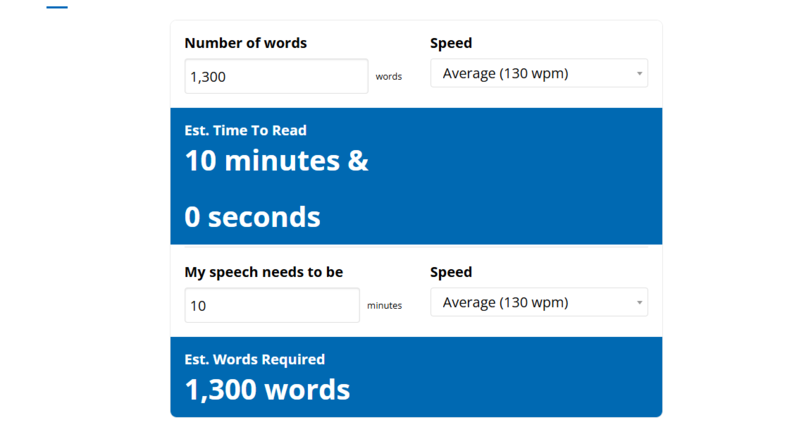
Before creating or refining your slides, start by knowing exactly how long your speech draft will take. This speech calculator helps you estimate the word count in PowerPoint you need to prepare.
How it helps your speech prep:
- Estimate Speech Time – Enter your total word count and your average speaking speed (words per minute, WPM), and the calculator will predict how many words in a 10-minute presentation.
- Estimate Word Count – Enter your desired speech duration and your speaking speed (WPM), and the calculator will tell you how many words you should prepare.
✨Best for:
Early Preparation Stage – When you already have a draft and want to check if it fits the allotted time.
Planning Stage – When you only know the time slot and need to determine how much content to write.
2. Save Hours on Speech Prep with WorkPPT 🔥
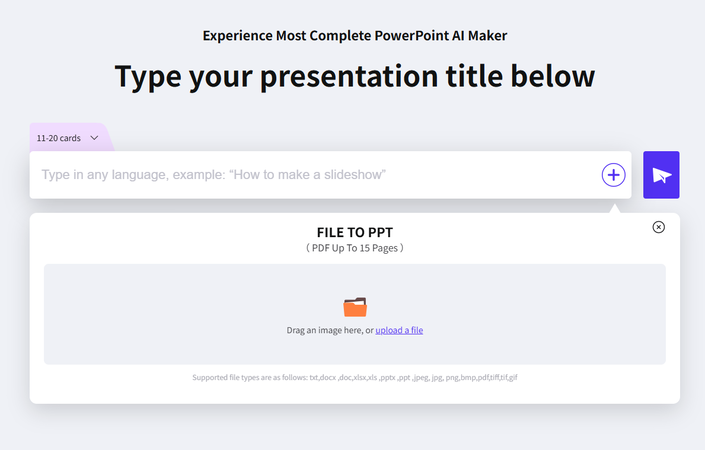
Once you know your target word count and pacing, use WorkPPT AI Presentation Maker to create both your speech script and professional slides in minutes.
What it offers:
- Customize the number of slide cards in the presentation (based on your speech time).
- Enter your topic or upload your file to get AI-generated outlines.
- Professionally designed and abundant templates to match your talking topic.
- Get a stunning and complete presentation in 60s. No design skills.
Turning your ideas into a polished 10-minute presentation quickly and accurately right now!👇
⭐⭐⭐⭐⭐ Rated 4.8 by 1.3M Users
3. Online Teleprompter – Speakflow
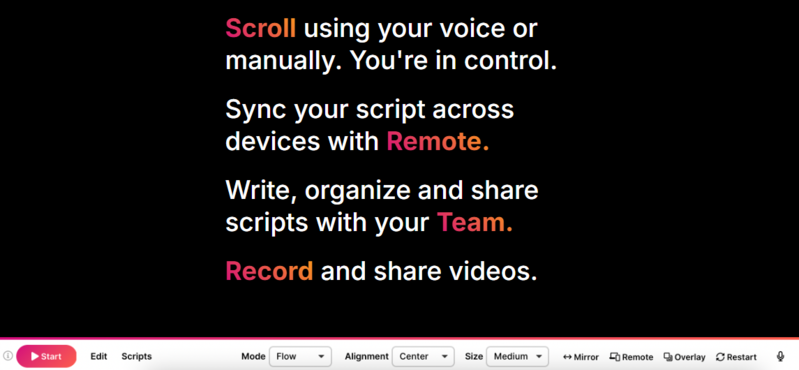
Finally, rehearse your talk at the right speed. Speakflow is an online teleprompter that scrolls your script at a pace matching your delivery style.Great for polishing delivery, improving eye contact, and eliminating the need to look down at notes.
How it helps your speech prep:
- Adjustable scroll speed – Practice at slow, normal, or fast speaking rates
- Hands-free control – Voice-activated scrolling keeps you focused on delivery
- Browser-based convenience – No downloads needed, rehearse from any device

Why Word Count Matters in a Speech
- Prevents running out of time – Too many words can force you to rush; too few can leave awkward gaps.
- Ensures clarity and flow – Helps you structure your ideas without overwhelming your audience.
- Improves pacing and rehearsal – Knowing your average speaking speed makes practice more accurate.
Tips to Adjust Word Count for Speech Slides
- Cut slide text, not just speech: Use bullet points and let your narration add detail.
- Use pauses for transitions: Gives the audience time to absorb visuals.
- Add examples or audience questions: Keeps engagement high without overloading slides.
✍ [You May Also Like]: Presentation Techniques: How to Make an Effective Presentation
FAQs About Saving PDF from PowerPoint
Q1: How many slides for a 10-minute presentation?
Usually 10–12 slides, allowing about 1 minute per slide for smooth pacing.
Q2: How many words in a 5 minute speech
Q3: How many words in a 3 minute speech?
Q4:How many words should be on each slide?
Keep slides minimal—around 15–30 words—so your audience focuses on visuals and key points rather than reading text. Additional details and explanations should be placed in your speaker notes or script, allowing you to expand on ideas verbally without cluttering the slides.
Q5: What is the average pace for speaking?
Most people speak at an average pace of 125–150 words per minute(wpm) in presentations, though individual styles vary.
Q6: What is a comfortable speech speed?
A comfortable speed is around 130 words per minute, giving you room for clarity, emphasis, and interaction with the audience.
💬 Conclusion:
Understanding how many words in a 10-minute speech is key to delivering a clear, engaging presentation. Word count is a helpful guide, but great speeches are not just about numbers. The real goal is to create a clear, engaging experience where your audience feels involved and valued—minute by minute.
If you want to save time while keeping your presentation structure and timing on track, tools like WorkPPT can help create professional, well-paced slides in minutes, allowing you to focus on presenting with confidence.
Create PPT in minutes with WorkPPT
WorkPPT AI Presentation Maker instantly generates a script and matching slides for your exact speech length.

