If you are looking for an AI tool to turn text, files, or links into slides, or consider whether MagicSlides is safe, this MagicSlides review will help you decide if it fits your needs.
What Is MagicSlides?
MagicSlides (also called Magic Slides) is an AI-powered tool for creating presentations. You can use it as:
- A Google Slides add-on
- A web app
- An API for developers
- A Chrome extension
Many users know it as Google Slides Magic Slides, because it works directly inside Google Slides.

MagicSlides Core Features
| Feature | What It Does | Notes & Limitations |
|---|---|---|
| AI Chat Assistant (AskPPT) | Edit slide text Rewrite content Change tone or style Improve clarity | Useful for polishing weak drafts or reducing overly long content. |
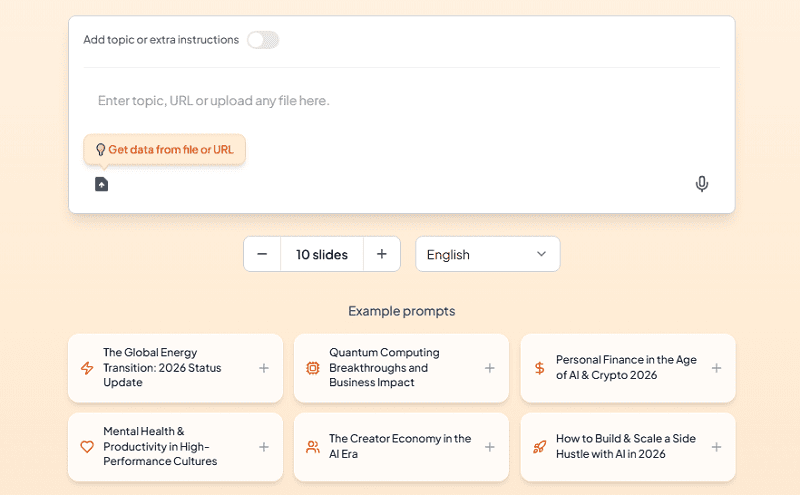
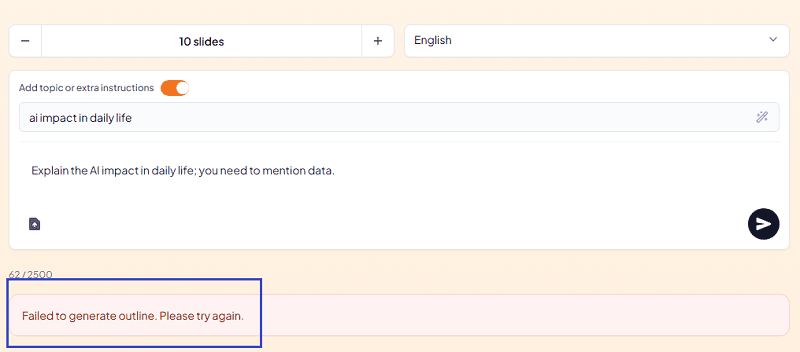
| Text to PPT | Generate slides from text Upload files Paste URLs | Free users are limited to 2,500 characters. Detailed input leads to better slide quality. |
| Topic to PPT | Create slides from a simple topic Auto-generate outline and structure | Very fast, but content is often surface-level and generic. |
| AI Pitch Deck Generator | Business pitch decks Marketing strategies Sales presentations | Supports audience, style, and AI model selection. Free users can only use Gemini 2.0. Structure is solid, analysis is limited. |
| YouTube to PPT & Link to PPT | Convert YouTube videos into slides Turn web pages or blog links into presentations | Best for short and clear content. Long videos often result in shallow slides. |
| File & Image to PPT | PDF to PPT Word to PPT Image to PPT | Content extraction works well. Text is not compressed, slides may feel crowded. |
| Language Support | Supports over 120 languages | Suitable for global teams and multilingual presentations. |
| Integrations & API | Google Slides Chrome Extension Figma ChatGPT Zapier Telegram Bot API access | Strong ecosystem for automation and workflow integration. |
| Google Search Enhancement | Add external content and images via Google Search | Feature is unstable. Often fails or breaks generation. Turning it off usually fixes issues. |

Pros and Cons of MagicSlides
😀 Pros:
- It supported many workflows: Google extension, Google Slides, Figma, Web version.
- Many input types (text, files, links, video)
- Supports 120+ languages
- AI chat for slide editing
- API and automation support
😥 Cons:
- Free plan is too limited
- Content depth is weak
- Few templates, only 69 templates for choice.
- Layouts feel repetitive
- Google Search feature is unstable

Is MagicSlides Safe?
Yes. MagicSlides is widely used.
User ratings:
- Google Workspace Store: ⭐ 4.7 / 5 (1,479 reviews)
- G2 Review: ⭐ 4.4 / 5 (4 reviews)
It is safe to install and use.
Is MagicSlides Free?
Yes. MagicSlides has a free plan, but it is very limited. For Free users, here are what you can and what you can’t:
- Can create up to 10 slides
- Cannot download PPT files
- Can only share a link
- Have limited AI options
The free version is best for testing, not real work. The following is the MagicSlides’ pricing for you to consider to choose free or paid plan.
| Plan | Best For | Monthly Price | Presentation Limits | Key Features |
|---|---|---|---|---|
| Essential | Light users | $8 / month |
10 presentations / month 100 slides max Up to 10 slides per deck |
Export to PDF, PPT, Google Slides No watermark AI chat assistant Google Slides & Figma plugins 100+ languages |
| Pro | Regular users | $16 / month |
50 presentations / month 750 slides max Up to 15 slides per deck |
Higher text input limits All Essential features included |
| Premium (Best Value) |
Heavy users | $29 / month |
Unlimited standard presentations Up to 50 slides per deck |
Very high text input limits Full access to all MagicSlides features |
Note: You can earn free credits by inviting friends. When they sign up, both of you receive 1 credit.
Alternatives to MagicSlides
If MagicSlides is not a perfect fit for your needs, there are several other AI presentation tools worth considering. Each has its own strengths, so you can choose based on the type of slides you want to create:
1. WorkPPT AI Slide Generator
WorkPPT excels at turning existing files and documents (PDF, Word, Excel) into structured slides. It also includes tools for summarization and content refinement, making it ideal for business reports and data-driven decks.
2. Gamma
Gamma is a modern AI presentation and storytelling platform. It focuses on visual consistency and structured content, and it often generates slides with stronger layouts and richer visuals than basic AI tools.
3. Canva AI Presentation
Canva offers a built-in AI presentation maker with access to thousands of templates and a huge media library. It is great for design-rich slides and everyday business presentations.
4. Beautiful.ai
Beautiful.ai is an AI slide tool focused on automated design and layout. It helps you create clean, professional decks with minimal manual formatting effort.
5. Google Slides with AI Add-ons (e.g., Plus AI)
If you want to stay inside Google Slides, AI add-ons like Plus AI bring prompt-to-deck and slide rewriting capabilities directly within the Google Slides editor. This can be a good choice for users who don’t want to switch tools.
💬 Conclusion:
MagicSlides is a good choice if you:
- Use Google Slides often
- Want fast slide creation
- Need many input options
But if you care about:
- Deep content
- Strong storytelling
- Flexible design
You may need to compare MagicSlides with other AI presentation tools.
MagicSlides saves time, but not thinking.
Biggest reason to choose WorkPPT is more natural and has less AI sense.