
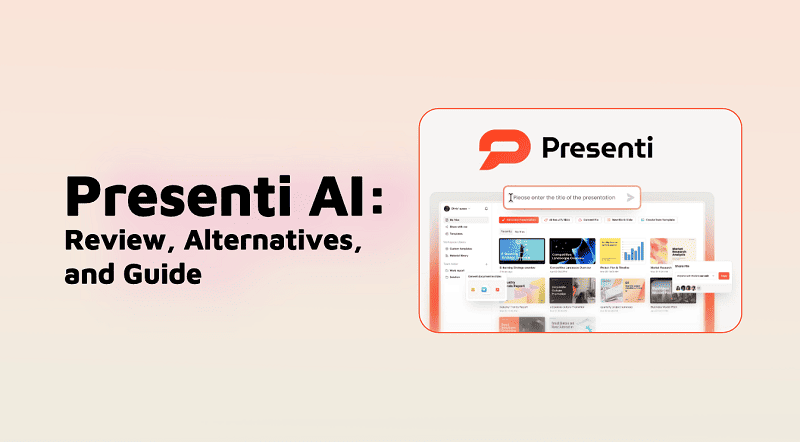

AI presentation tools are everywhere in 2026, promising to turn text or documents into slides within minutes. Presenti AI is one of the newer players in this space, positioning itself as a multi-input AI presentation generator.
In this review, we take a closer look at what Presenti AI actually does, how its pricing works, and whether it’s worth using compared to other AI presentation tools.
What Is Presenti AI?
Presenti AI is an AI-powered presentation maker that allows users to generate slides from multiple input formats, including text, documents, and structured files. It focuses on conversion-based slide creation, rather than deep content reasoning or data analysis.
At its core, Presenti AI helps users quickly turn existing materials into slide decks using templates and AI-assisted formatting.
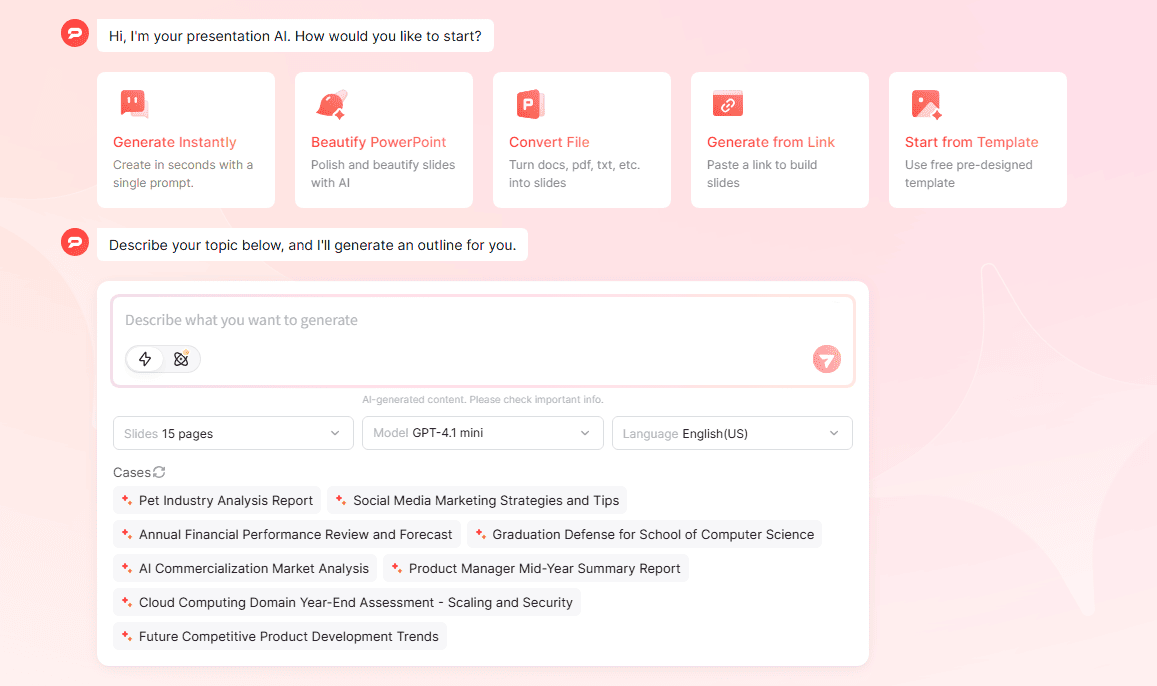
Presenti AI Features Review
Key Features of Presenti AI
- Text to Presentation
- Word to Presentation
- PDF to Presentation
- Markdown to Presentation
- Mind Map (XMind) to Presentation
- Template to Presentation
- AI Beautify Slides
File Upload & Content Handling
When uploading files, Presenti AI can:
- Automatically organize document structure
- Extract key points from the original content
- Expand or supplement the original text before generating slides
However, the AI does not optimize content based on presentation best practices, such as the widely used 7×7 rule. As a result, slides generated from documents are often text-heavy and verbose, requiring manual editing.
Templates & Customization
- Users can select the presentation audience and tone (e.g. report-style, formal).
- Template search is available via keywords, but in practice, relevant templates are often difficult to find.
- The free version uses template-based images only.
- AI-generated images are a paid feature.
Collaboration & Sharing Limits (Free Plan)
- Maximum of 5 invited editors/viewers
- Password-protected sharing is not supported on the free plan
😀 Pros:
- Supports many input formats (Word, PDF, Markdown, XMind)
- Fast slide generation
- Multiple pricing tiers for different usage levels
- Good for converting existing materials into slide drafts
😥 Cons:
- No Excel or data table analysis
- Free version cannot export slides
- AI-generated images require payment
- Content is often overly long and not presentation-optimized
- Template search is unreliable
- Occasional layout and style errors
Is Presenti AI Free?
| Feature | Free Plan |
|---|---|
| AI Presentation Generation | Available (basic workflow testing) |
| Export (PPT / PDF) | Not available – paid plans only |
| AI Image Generation | Locked behind paid plans |
| Collaboration & Sharing | Limited (no password protection) |
| Output Quality | Mostly template-driven |
| Best For | Testing the product, not final delivery |
Presenti AI Pricing Plans (2026)
| Plan | Price | Key Limits | Main Features | Best For |
|---|---|---|---|---|
| Plus | $9.5 / month |
Up to 25 slides Pro Agent: 3× / month AI images: 3× / month |
Export to PPTX / PDF TXT, Word, PDF, Markdown, XMind Premium templates & layouts |
Light individual use |
| Pro | $18 / month |
Up to 50 slides Pro Agent: 5× / month AI images: 5× / month |
Same export & formats as Plus More AI usage limits |
Frequent creators |
| Ultra | $36 / month |
Up to 75 slides Pro Agent: 20× / month AI images: 20× / month |
Full features High-volume AI generation |
Teams & heavy usage |
How to Use Presenti AI
The typical workflow is straightforward:
- 1. Choose an input method (text, file, mind map, or template)
- 2. Upload or paste content
- 3. Select presentation tone and audience
- 4. Let AI generate slides
- 5. Manually revise content and layout
- 6. Export slides (paid plans only)
The tool is easy to use, but manual cleanup is usually required, especially for long documents.
What Is the Best AI for Presentation in 2026?
Presenti AI works best as a conversion tool—turning documents into slides quickly. However, if you need:
- Data-to-slide analysis (e.g. Excel)
- Strong content structuring
- Cleaner business-ready decks
Other excellent AI presentation makers may be more suitable, depending on your workflow and quality expectations:
⭐728323 presentations made
Watch video about WorkPPT AI presentation (editor’s choice):
💬 Conclusion
Presenti AI is a practical option for users who already have structured content and want to quickly convert it into presentation format. Its strength lies in input flexibility, not in deep AI reasoning or slide storytelling.
For simple document-to-slide workflows, it can save time. For polished, professional presentations, expect additional editing—or consider more advanced AI presentation tools like WorkPPT.
📄 Text & documents to slides quickly
🧠 Powerful AI toolkits to save time
🎨 5,000+ education-ready templates
📤 Export to PPTX, PDF, or Google Slides
