
author image

SlidesGPT is #1 listed AI PowerPoint Generator on the ChatGPT store. Does it really outshine PowerPoint?This 2026 review explores what SlidesGPT is, its featuers pros and cons, and top alternatives to help you decide if it’s right for your needs.

SlidesGPT allow turns prompts or PDF files into structured slide decks. SlidesGPT then uses ChatGPT’s AI technology to automatically generate presentation slides based on the input, including titles, bullet points, and logical slide structure.
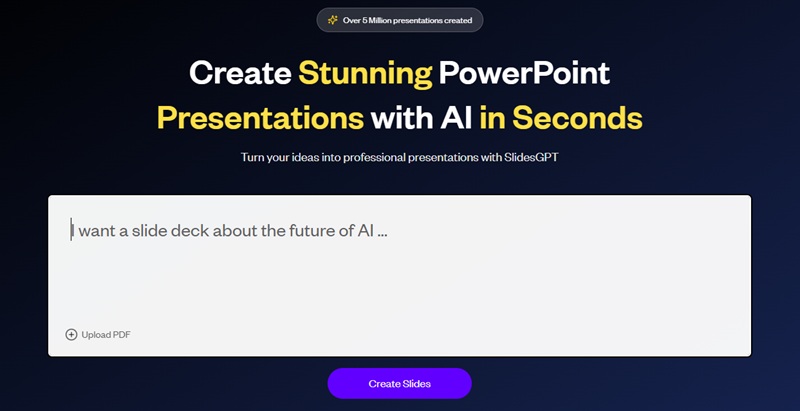
home page of slidesgpt

It offers several ways to generate presentations with AI, depending on the user’s workflow:

  • Web-based generator: Create presentations directly from prompts on the SlidesGPT website.
  • Web-based generator Use SlidesGPT through its dedicated AI PowerPoint generator available in the ChatGPT store.
  • API solution: A B2B option that allows companies to generate PPTs with AI at scale using the SlidesGPT API.

Key Features of SlidesGPT

  • Text and chat-based input: Generate slides by entering a prompt or refining content through conversations on ChatGPT or Microsoft Teams.
  • AI content generation: Automatically creates well-written, presentation-ready text based on your topic.
  • Smart slide layouts: Applies optimized layouts and formatting automatically, with no manual design work required.
  • AI image generation: Generates custom visuals using advanced AI models from OpenAI and Google.
  • Custom brand themes: Build presentations using your own brand colors, fonts, and layouts.
  • PowerPoint template support: Upload an existing PPT master and let SlidesGPT generate slides using your template.
  • Multiple export formats: Download presentations as PowerPoint, PDF, or export directly to Google Slides.

How SlidesGPT Works (Guide & Result)

SlidesGPT offers several ways to create presentations, allowing you to choose the workflow that best fits your needs. We’ve organized guides and example outputs for each method, so you can jump straight to the corresponding section.

From Text Prompts / Topics

If you want to create a presentation from a simple idea or topic, access the SlidesGPT website:
1. Enter your topic or short description, then click “Create Slides”.
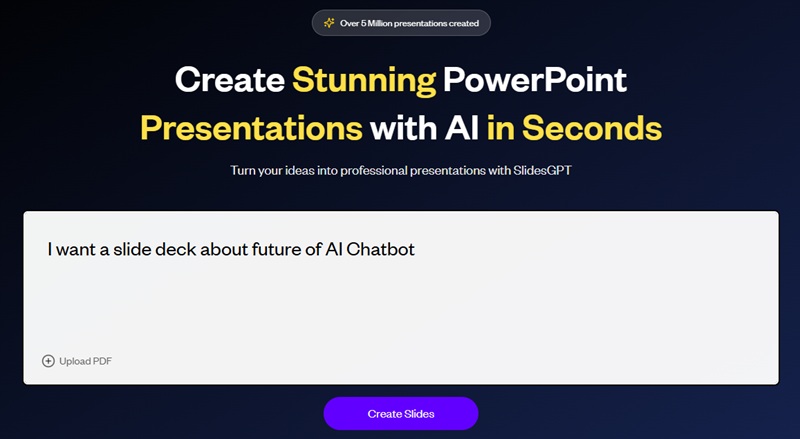
input prompt to slidesgpt

2. SlidesGPT generates an outline that you can edit or polish with AI.
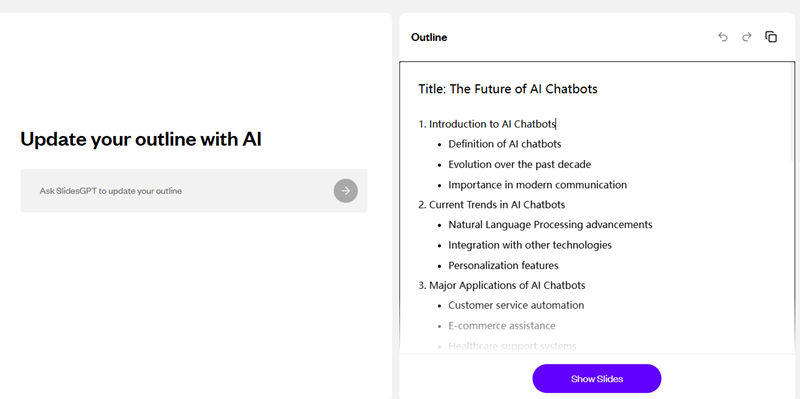
edit slide outline in slidesgpt

3. Choose a theme or custom by yourself to match your brand. It also allows uploading a PowerPoint template.
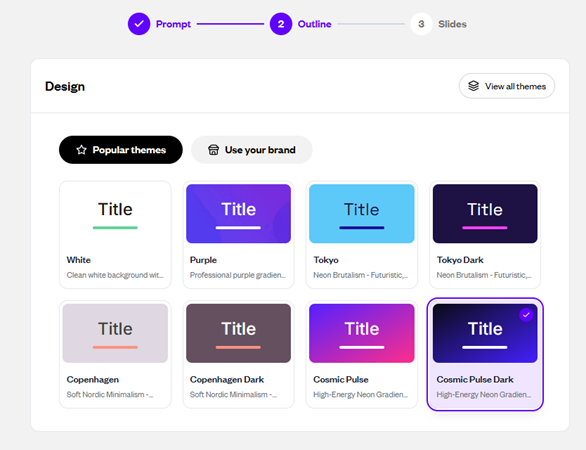
choose slides theme in slidesgpt

4. Click “Show Slides”.

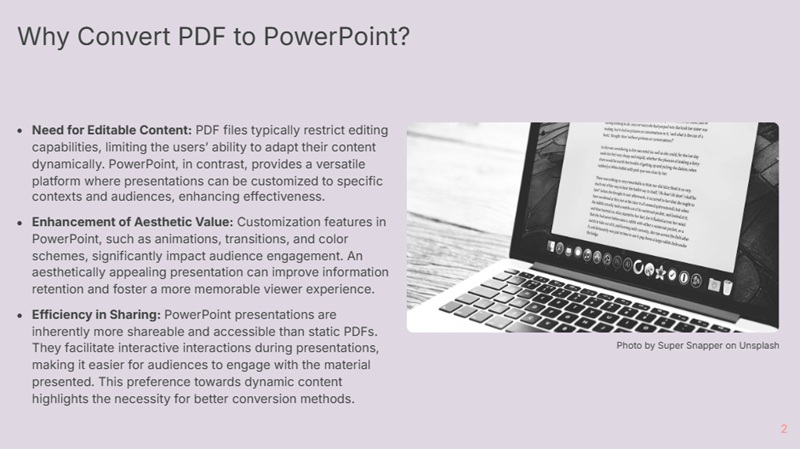
PDF to PowerPoint

If you already have content in a PDF document:

1. Upload your PDF file and input a simple prompt like “I want a slide deck based on the PDF” or supply the topic you want to create.
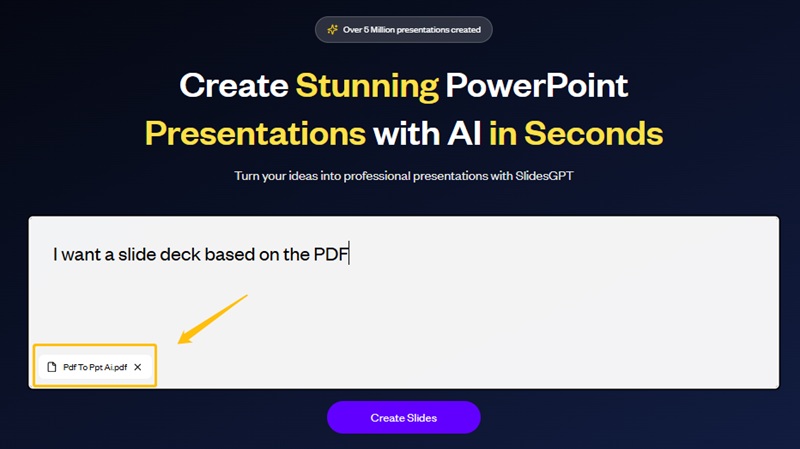
upload pdf to slidesgpt

2. Review and edit the slide outline with AI.
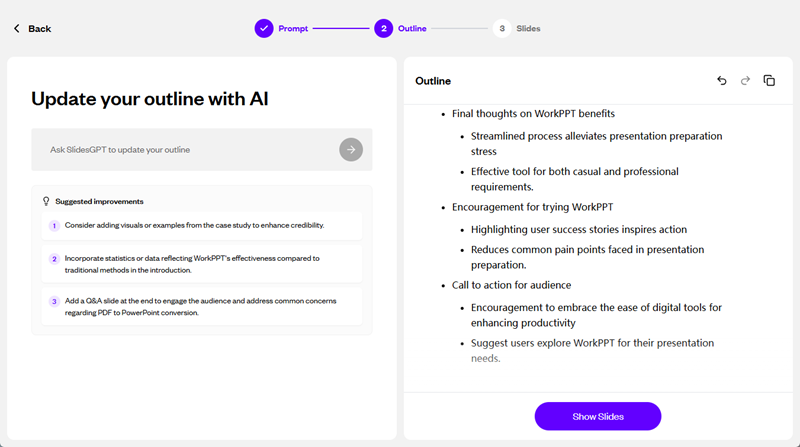
upgrad the slide outline in slidesgpt

3. Choose a theme or upload a PowerPoint template. Then click “Show Slides”.
Convert YouTube videos

If you want to turn a video into slides, go to SlidesGPT YouTube to PowerPoint Converter:
1. Provide a YouTube video link.
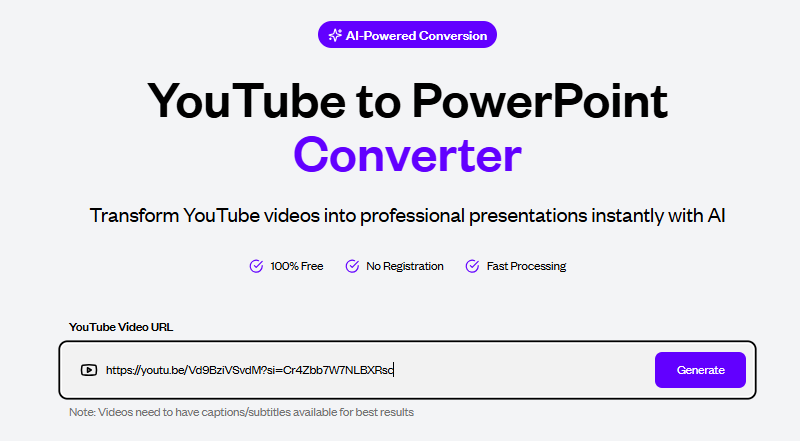
paste youtube url to slidesgpt

2.SlidesGPT extracts key points and generates an outline of slides. Adjust it and choose a theme.
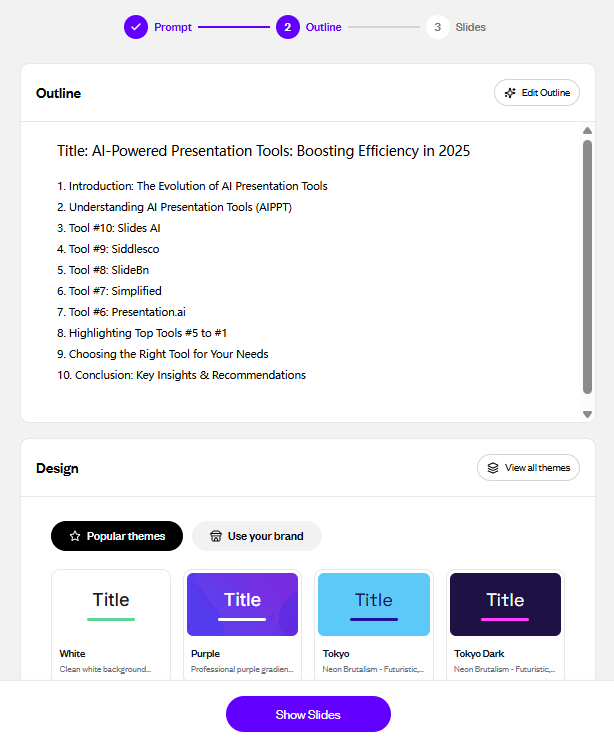
slides outline from youtube video

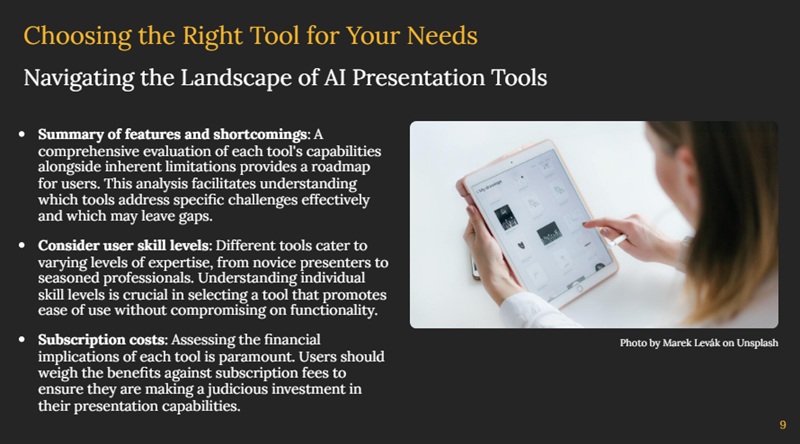
4. Click “Show Slides” and wait for the generation.
Create inside ChatGPT

For a more interactive, conversational workflow:
1. Connect SlidesGPT APP to ChatGPT:
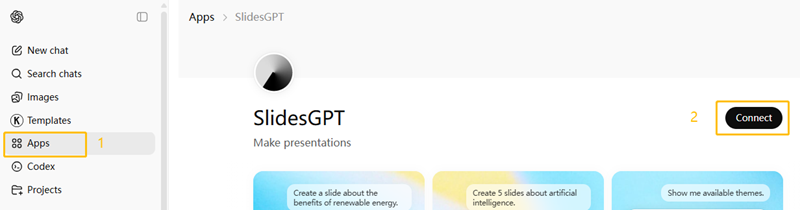
connect slidesgpt to chatgpt

2. Start a new chat and Oopen SlidesGPT in ChatGPT:
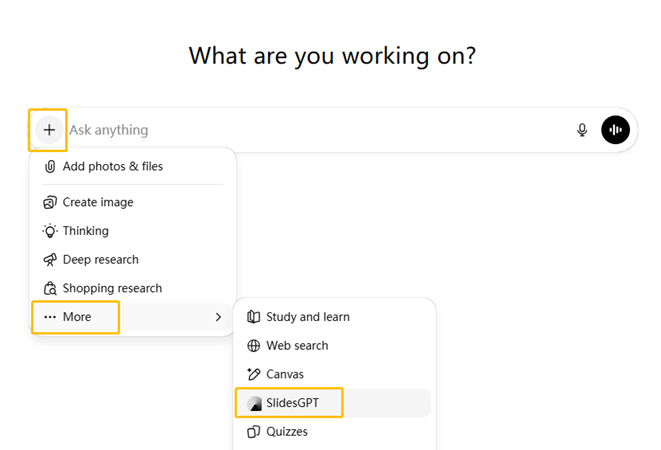
open slidesgpt in chatgpt

3. Start a conversation with the AI about your topic. Next, you’ll receive a presentation.
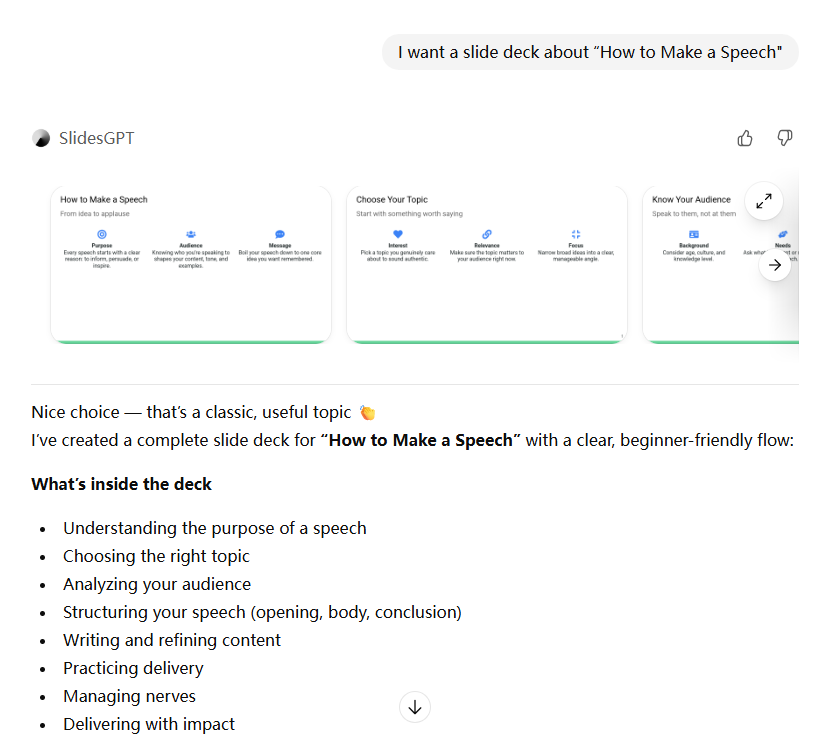
use slidesgpt to generate slides with chatgpt

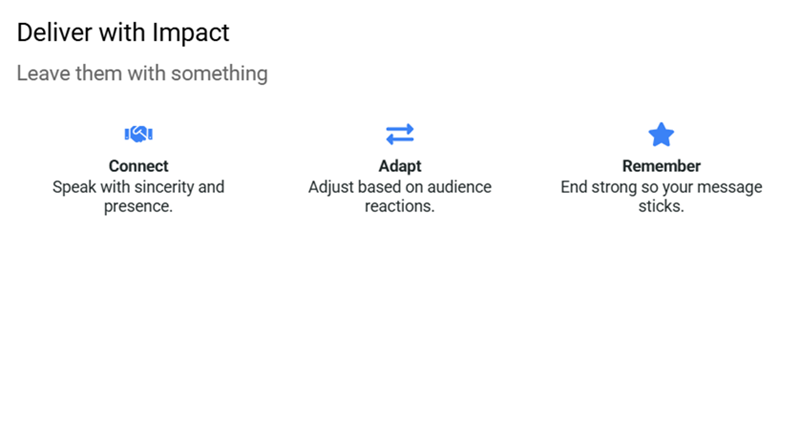
4. Click the generated slide and refine its content and structure.
[You May Also Like]: 40+ ChatGPT Prompts for Presentation

Pros and Cons of SlidesGPTSlidesGPT

😀 Pros:

😥 Cons:

SlidesGPT PowerPoint Generator Pricing: Is It Free?

Quick Takeways:
Free Starter: Choose this if you only need to create and share presentations online and do not require downloading files or offline editing.

Pro: Choose this if you need to download and edit up to 10 high-quality presentations per month in PowerPoint, Google Slides, or PDF formats.

Pro XL: This plan is more cost-effective if you are a power user requiring a high volume of up to 50 downloads per month.

PlanMonthly BillingAnnual Billing (Effective Monthly)Key Features & Limits
Free Starter$0$0Unlimited create & view; Share presentations; No HQ exports or downloads.
Pro$9.99 /mo$7.50 /moHQ formats (PPT, Google Slides, PDF); Offline use & editing; 10 downloads/month.
Pro XL$29.99 /mo$22.50 /moAll Pro features included; 50 downloads/month.

SlidesGPT Alternatives: Best AI PPT Maker to Consider

If you feel limited when using SlidesGPT, there are several top alternative AI presentation tools worth considering.

ToolPlatformGeneration MethodTemplate VolumeCustomization OptionsExport Formats
SlidesGPTWeb, ChatGPT appsText prompts, chat-based input, PDF, YouTube video20+text, images, basic layouts and themesGoogle Slides, PowerPoin  & PDF
WorkPPTWebText prompts, file upload (PDF, DOCX, TXT, Excel,)5,000+drag & drop editing, text rewrite, images, logo, animationsPPTX, PDF, PNG, JPG, shareable link
GammaWebText prompts, Word & PDF100+ themescontent and layout adjustmentsPDF, PPTX,PNG, link
CanvaWeb, Desktop, MobileTemplates, AI text generation, manual designThousand of free templatefull visual, layout, and brand controlPPTX, PDF, images, link
SlidesAIWeb, Google Slides &PowerPoint add-onText to slides30+mainly text-based slide generationGoogle Slides, PPTX

💬 Conclusion:

SlidesGPT makes it easy to generate presentation drafts using AI, helping users save time and avoid starting from a blank slide. It is especially useful for early-stage ideas and content summaries.

However, if you need more design flexibility, richer templates, or editable output formats, exploring a more professional AI slides maker may be a better option.

Which Slide Maker Does Editor Choose? WorkPPT!

Biggest reason to choose WorkPPT is more natural and has less AI sense.