


How to Start a Presentation: 15+ Tricks to Grab Attention
How do you start a presentation? A strong presentation opening can instantly capture attention or lose it. Stop just starting with “Hello, my name is…”. This post will show you some creative ideas to hook your audience from the very first word.
The start and end presentations are both important parts of a presentation. If your start is boring, you lose your audience. But if your start is strong, you “hook” them. They will want to hear what you say next.
First Impressions Last: People judge you quickly. A strong start shows you are confident, prepared, and interesting.
It Builds Trust: A good opening makes the audience feel you are an expert. They will trust what you say.
It Sets the Tone: Your opening tells the audience if the presentation will be serious, funny, inspiring, or educational.
Make Your Presentation in Seconds
Stop struggling with blank slides — use WorkPPT AI Presentation Maker to turn any topic or file into professional slides instantly.
Here are more than 20 simple hooks you can use. Choose one that fits your topic and your personality.
Attention-Grabbing Statements & Questions
1. Bold Claim Starting with a bold or slightly controversial statement can immediately spark curiosity. This approach works well for persuasive talks, business presentations, or any situation where you want to make a strong impression.
Example"Everything you know about exercise is wrong."
2. Rhetorical Question Asking a question that doesn’t require an immediate answer can engage the audience’s thinking from the start. This works best when you want listeners to reflect or feel involved.
Example“What would you do if this presentation could save you five hours every week?”.
3. Shocking Statistic Using a shocking statistic works well in business, technology, and data-driven talks. Follow it up by explaining why it matters, and be careful not to overwhelm your audience with overly complex or unverifiable numbers.
Example“Every day, 2.5 quintillion bytes of data are created worldwide.”
4. “Did You Know?” Fact A surprising fact or statistic is a classic way to capture attention, especially when it is short, punchy, and relevant to your topic.
Example“Did you know people forget 90% of a presentation within one hour?”
Storytelling & Emotional Connection
5. Personal Story Sharing a brief, relevant story from your own experience (under 60 seconds) helps establish rapport and makes your presentation memorable.
Example"Last Tuesday, I made a $10,000 mistake. And it taught me one very important lesson..."
6. Relatable Scenario Describing a situation your audience can immediately recognize helps them connect with your message. This works especially well in educational or workplace settings.
Example“Picture this: it’s 11 p.m., and you’re still fixing slides for tomorrow’s meeting.”
7. Customer or Student Story Telling a short story about someone else’s experience adds credibility and demonstrates practical relevance.
Example“One of our students used this method and improved their study efficiency dramatically.”
8. Emotional Trigger Starting with something that evokes a shared feeling, such as stress, excitement, hope, or frustration. This opens the door for solutions and positions you as someone who understands your audience.
Example“We’ve all felt overwhelmed by too much information at once.”
9. Historical Flashback Opening with a historical event or milestone provides context and can set up a story or lesson. Historical flashbacks are particularly effective for topics involving change, innovation, or lessons from the past.
Example“In 1997, Apple was weeks away from bankruptcy.”
Visual, Physical & Interactive Openings
10. Physical Prop Hold a real object in your hand to make your idea physical.
Example(Hold up a brick.) "This is how heavy your backpack feels to your spine. We need to talk about ergonomics."
11. Striking Image or Video Starting with a compelling visual can evoke emotion and curiosity before you even speak.Visuals are especially powerful in creative, educational, or motivational presentations.
Example“Take a moment to look at this image. What do you notice?”
12. Audience Poll or Hand Raise Getting the audience involved immediately encourages participation and attention. Interactive openers are great for workshops, classrooms, or conference talks where engagement is key.
Example“Raise your hand if you’ve ever stayed up all night fixing a presentation.”
13. WIIFM (What’s In It for Me) Clearly stating the benefit for the audience immediately answers the question, “Why should I listen?”
Example“In the next 10 minutes, you’ll learn a method that saves time every week.”
14. Clear Agenda with a Twist Outlining your talk with a focus on outcomes rather than topics keeps the audience oriented and engaged. It sets expectations while teasing actionable insights.
Example“Three mistakes, one solution, and a tool you can use today.”
15. Problem–Solution Statement Naming the problem first highlights relevance, then hints at the solution to keep people listening. This opener works well in workshops and professional talks where the audience wants tangible takeaways.
Example“Most presentations fail because they overload the audience. Here’s how to fix that.”
16. Myth Busting Challenging a common misconception grabs attention and demonstrates authority.
Example“You don’t need more slides to explain complex ideas.”
17. A Powerful Quote Use a famous quote. It must be relevant to your presentation’s message.
ExampleNelson Mandela once said, 'It always seems impossible until it's done.' Today, we are going to talk about doing the impossible.
Value-Driven & Practical Openings
18. Local or Cultural Reference Acknowledging the audience’s location or culture shows awareness and can create rapport. Use this sparingly, and make sure it’s genuine.
Example“It’s my first time presenting in Berlin, a city known for innovation.”
18. Current Event or Trend Opening with something timely signals relevance.Timely references can make your talk feel urgent and important.
Example“With AI changing how we work, presentations matter more than ever.”
Tips and Mine Fields You Must Know About Starting Presentations
Not every opening works for every speaker or situation, so it’s essential to select one that suits both you and your audience.
If you feel nervous or inexperienced, starting with a clear benefit or a striking statistic can help you gain confidence while immediately showing value. New speakers often do well with a simple question or a short personal story, as these create a connection without requiring perfect delivery.
For business presentations, openings that focus on data, outcomes, or problem–solution scenarios tend to grab attention and demonstrate professionalism.
Attention! Never start your presentation like this: 1. “I’m sorry…” (Example: “I’m sorry, I’m a little nervous.” or “Sorry, my slides are not very good.”) This makes you look unprofessional.
2. “Can everyone hear me?” (Example: Tapping the microphone.) You must check your technology before you start.
3. “Hello, my name is…” This is weak and boring. (You can introduce yourself later, after you get their attention).
4. “Today, I’m going to talk about…” This is not a hook. It’s just a simple fact.
🎁Bounas: Make Your Opening More Attractive with
WorkPPT
A strong opening needs great-looking slides to support it. If you don’t want to waste time on design, try WorkPPT . It has thousands of professional, modern, and easy-to-edit presentation templates. They will help you grab everyone’s attention from the very first slide.
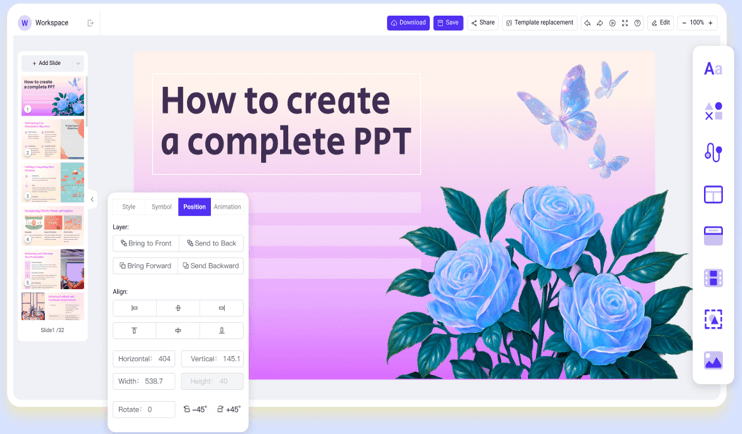
Spend less time designing and more time practicing your opening.
A: There is no best way suitable for everyone and situations. Think about your topic, your audience, and your own style, and choose an opener that feels natural
Q2: How do I begin a presentation speech?
A: Clearly state your topic and add a quick hook, like a story, question, or interesting fact to capture attention.
Q3: How long should my presentation opening be?
A: Keep it short—usually 30 to 60 seconds is enough. Your goal is to capture attention, not explain everything. Once people are interested, move smoothly into your main content.
Q4: What mistakes should I avoid when starting a presentation?
A: Avoid apologizing (“Sorry, I’m nervous”), reading slides word for word, or starting with too much background.
Q5: How to deliver your perfect opening?
A: Choosing a technique is only half the battle. You must also deliver it well.
Body Language: Stand tall. Do not cross your arms. Keep your hands open. This shows you are confident.
Eye Contact: Look at different people in the audience. Do not just look at your slides or the floor. Connect with their eyes.
Your Voice: Speak clearly. Speak a little louder and slower than you do in a normal conversation.
💬 Conclusion:
A powerful opening isn’t about showing off—it’s about building connection and trust. Whether you tell a story, ask a question, or share a fact, your goal is the same: to make your audience care. From this post, you have mastered how to start any presentation, so plan it, practice it, and polish it.
As the AI Tools Laboratory Director and an expert in deep customization techniques for PowerPoint and Google Slides, I leverage my experience testing 87 AI tools to enhance creative processes. A Stanford dropout in Human-Computer Interaction, I am passionate about transforming repetitive tasks into opportunities for inspiration, believing that 'tools are servants, not masters'. At WorkPPT, I advocate for the creative freedom that comes from human-machine symbiosis.
How to Convert PowerPoint to Video with AI (Free Online Options)
Gamma.app Promotion Code: Get 20%-50% Discounts [Dec. 2025]